 Tasaheel ERP
Period-End Adjusting Entries: Accruals, Prepayments, Depreciation
Adjusting entries step by step: accrued expenses and reversing entries, prepaid expenses and amortisation, deferred revenue, depreciation, provisions, stock adjustments.
 By Sherif Fadl — Founder, Tasaheel ERP
The books record what was paid and received, but financial statements must reflect what belongs to the period (the accrual basis). Adjusting entries close the gap between the two at the end of each month or year.
1. Accrued expenses and the reversing entry
An expense incurred whose invoice has not arrived (this month's electricity, for example):
- Debit the expense
- Credit accrued expenses
When the invoice arrives next month it will be recorded in full, so the expense would be doubled. That is why the accrual is reversed on the first day of the next month, leaving only the invoice.
2. Prepaid expenses
A year's rent paid in advance does not all belong to the current month. It is recorded as an asset (prepaid expenses), then amortised by each period's share:
- Debit rent expense
- Credit prepaid rent
3. Deferred revenue
An annual subscription received in advance is a liability until you deliver the service, then recognised as revenue over the periods:
- Debit deferred revenue
- Credit revenue
4. Depreciation
The period's share of the cost of fixed assets:
- Debit depreciation expense
- Credit accumulated depreciation
See fixed assets and depreciation.
5. Provisions
End-of-service, credit losses and others, by the difference between required and recorded. See provisions.
6. Stock adjustment
The count difference between book and actual quantity: a shortage debits count differences and credits inventory; an overage the reverse. See stock counts.
7. Accrued interest on loans
The period's share of loan interest, even if not yet paid.
One rule for every adjustment: cumulative posting
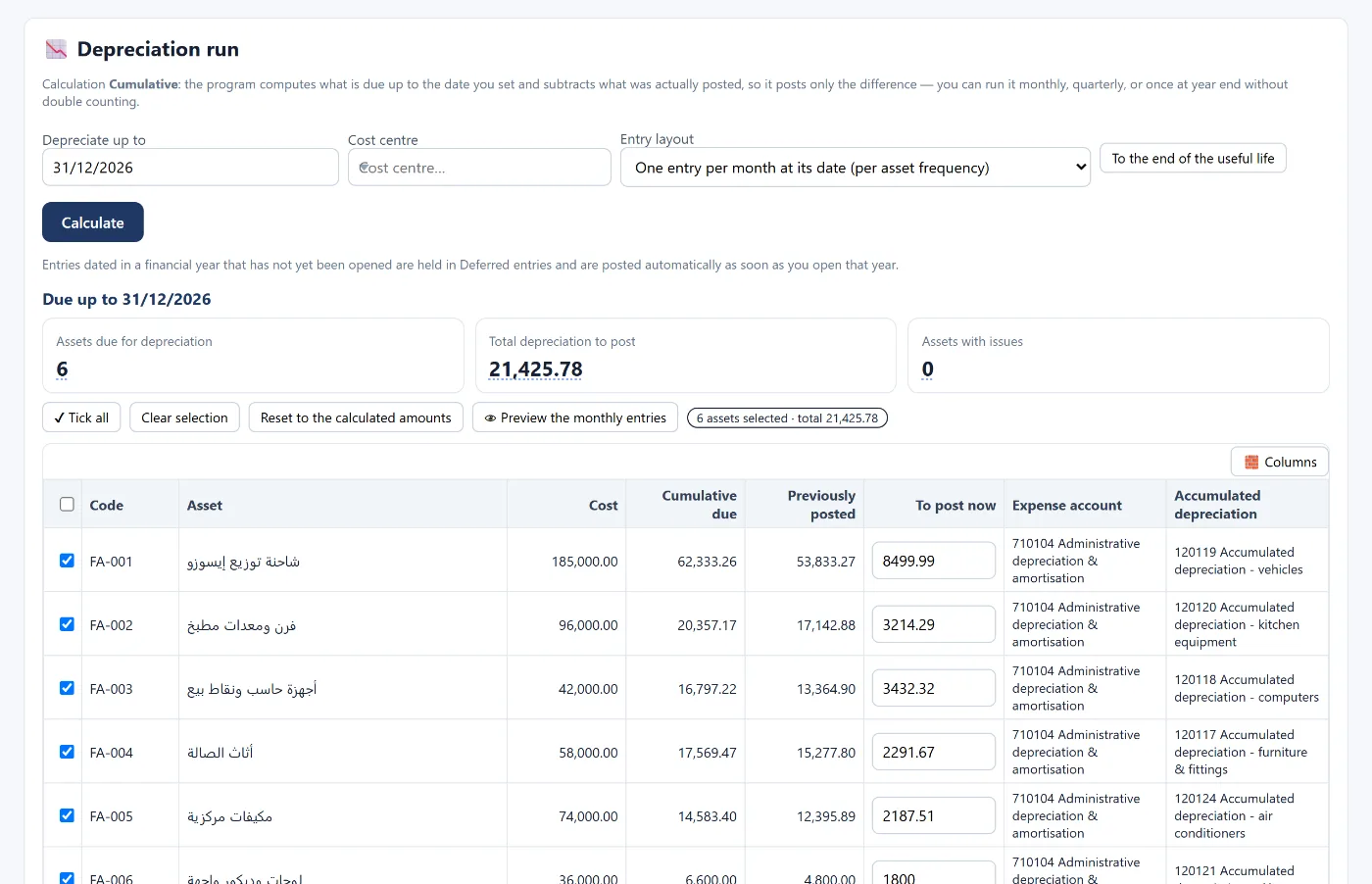
The best way to avoid duplicates: the program calculates what is due to date and subtracts what has already been posted, posting only the difference. Run it twice and the entry is not repeated.
How Tasaheel Accounts manages adjustments
- Reversing entries: mark an accrual entry for reversal, then reverse it with one click (or reverse all due accruals at once), dated the first of the next month by default and respecting closed periods.
- Prepaid and deferred expenses: a card with the amount, period, expense account and amortisation schedule, with prepaid amortisation run cumulatively as one entry per period or one combined entry.
- Deferred revenue and its recognition schedule, with a report that reconciles the balance to the books and shows what is behind on recognition.
- Subscriptions and recurring contracts: rent, maintenance or a subscription with an accrual schedule and dated entries.
- Depreciation, provisions and stock counts and adjustments — all cumulative by the difference.
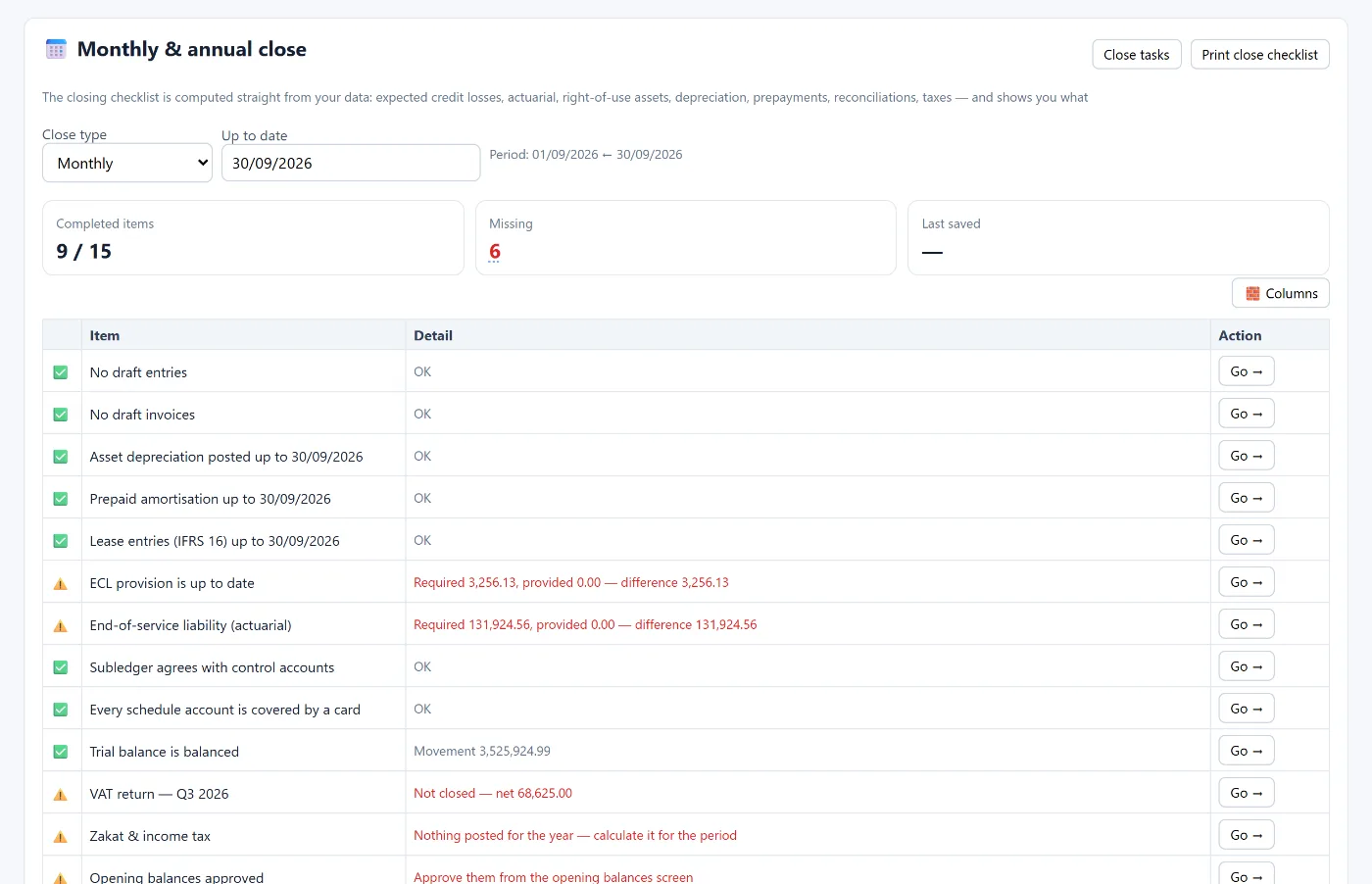
- Monthly and yearly close: a checklist calculated from your data that shows what is missing (depreciation, prepayments, provisions, due reversing entries, reconciliations, taxes) and takes you there in one click.
Read also month-end close and year-end close, or learn more about Tasaheel Accounts.
FAQ
Why is an accrued expense entry reversed?
So the expense is not recorded twice: once as an estimate at month end, and again with the actual invoice when it arrives.
What is the difference between a prepaid and an accrued expense?
A prepaid expense was paid before it belongs to the period, so it is an asset; an accrued one belongs to the period but is unpaid, so it is a liability.
Is revenue received in advance income?
No. It is a liability until the service is delivered, then recognised over the periods.
What if I run amortisation or depreciation twice?
The entry is not repeated, because posting is cumulative and posts only the difference.
Try it in Tasaheel: create a free account, record a year's rent paid in advance, and let the program amortise it every month.