 Tasaheel ERP
Stock Counts and Weighted Average Valuation, Step by Step
A practical guide to counting stock, adjusting differences and valuing it: weighted average and FIFO, the lower of cost and net realisable value, with worked examples.
 By Sherif Fadl — Founder, Tasaheel ERP
In most trading businesses inventory is the largest current asset, and a small error in counting or valuing it changes profit directly. This guide explains how to count stock and adjust differences, how to value it by weighted average or FIFO, and when to apply the lower of cost and net realisable value — with worked examples, then how Tasaheel Accounts shortens the job.
Why do system balances differ from the shelf?
- Recording errors: one item sold under another's name, or a mistyped quantity.
- Damage and expiry never recorded.
- Returns not put back into stock.
- Loss or theft.
- Goods received before their invoice is recorded, or the other way round.
Physical count steps
- Set the count date and stop movement or mark a clear cut-off (the last invoice before the count).
- Print the count sheet with system balances, or leave it blind (without balances) for an independent count.
- Count actual quantities of each item in each location, ideally with two people.
- Enter actual quantities and calculate the differences.
- Investigate large differences before adjusting: a recording error is corrected at its source, a real shortage is adjusted.
- Post the adjustment: a shortage debits inventory differences and credits inventory; an overage the reverse.
You do not have to count every item every month: a cycle count covers important or valuable items more often, and the rest less often.
Valuation methods
Weighted average
Unit cost = stock value ÷ quantity, updated with every purchase.
Example: opening stock of 100 units at SAR 10 (SAR 1,000), then a purchase of 200 units at SAR 13 (SAR 2,600).
- Balance: 300 units worth SAR 3,600.
- Average cost = 3,600 ÷ 300 = SAR 12.
- Selling 150 units: cost of sales = 150 × 12 = SAR 1,800, leaving 150 units at SAR 1,800.
First in, first out (FIFO)
The oldest quantities are issued first, at their cost.
Same example: selling 150 units = 100 × 10 + 50 × 13 = SAR 1,650, leaving 150 units × 13 = SAR 1,950.
The difference between the methods here is SAR 150 in cost of sales, and therefore in profit. What matters is to choose a method and stick to it; moving from one to another is a change in accounting policy that must be disclosed.
Lower of cost and net realisable value
Under IAS 2, inventory is measured at the lower of cost and net realisable value (expected selling price less costs to sell). If an item costs SAR 50 but now only sells for SAR 40, it is written down to 40 and the difference recorded as an inventory write-down. This is common for slow-moving, old or near-expiry items.
How Tasaheel Accounts shortens it
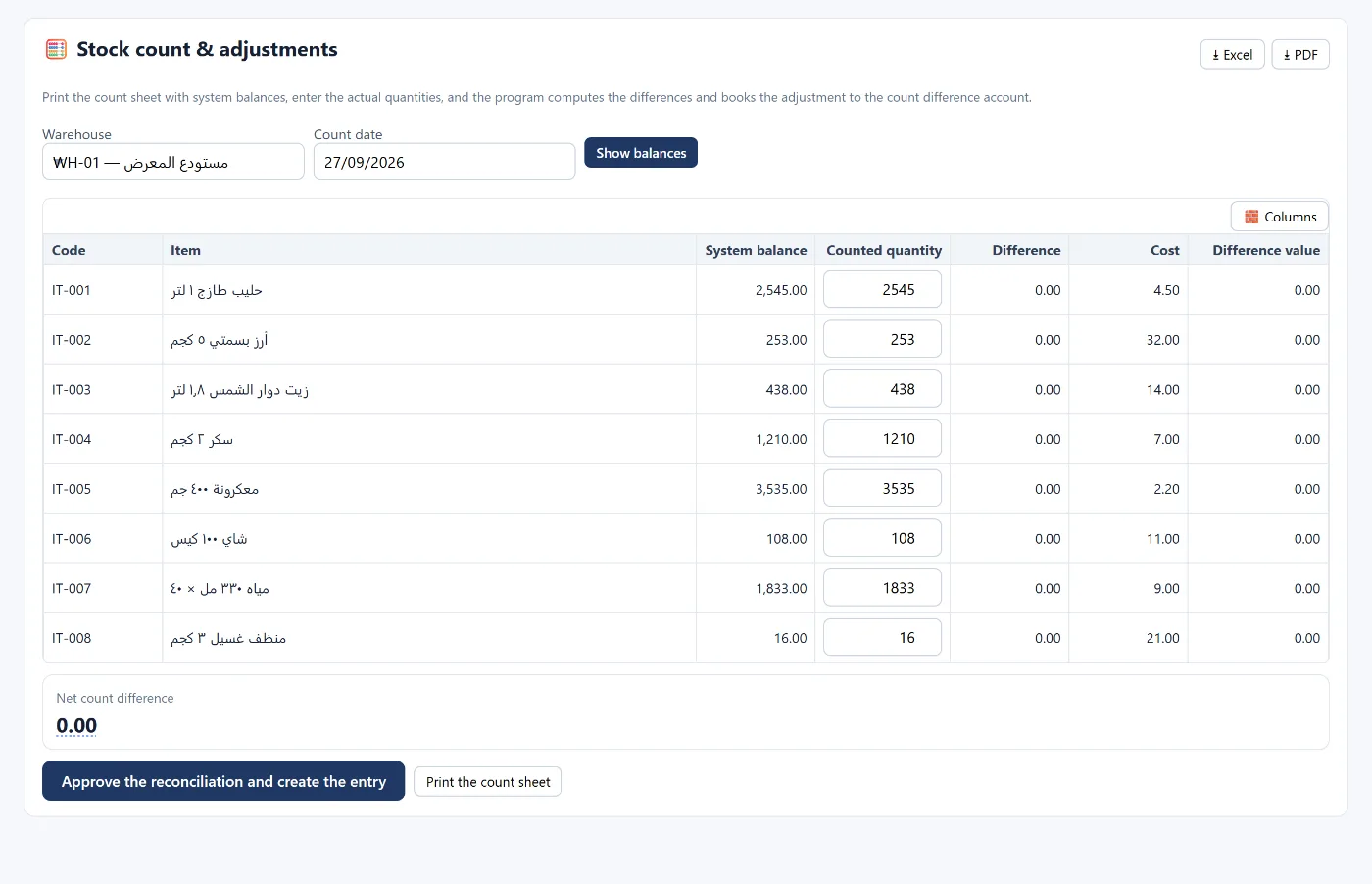
- Stock counts and adjustments: print the count sheet with system balances, enter actual quantities, and the program calculates the differences and posts the adjustment to the inventory differences account when you approve.
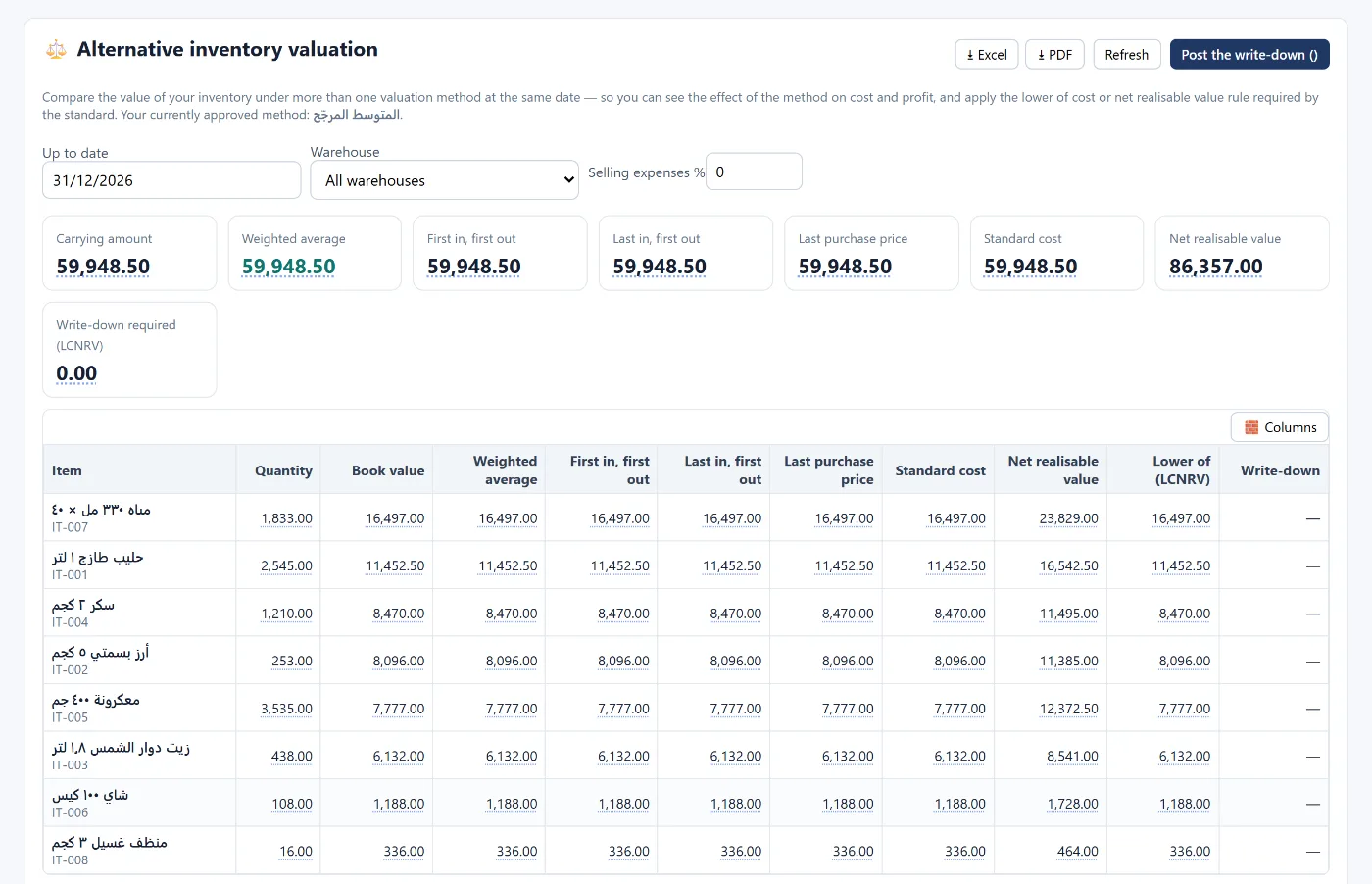
- Alternative valuation: compares your stock value on the same date by weighted average, FIFO, last purchase price and standard cost, applies the lower of cost and net realisable value, with a button to post the write-down.
- Stock balances and value: quantity, average cost and value per item, reconciled with the inventory account in the books.
- Invoices update stock automatically: a purchase brings the quantity in at cost, and a sale issues it and posts the cost entry.
FAQ
How often should stock be counted?
A full count at least once a year at year end, and cycle counts of important items monthly or quarterly.
Which is better: weighted average or FIFO?
Both are acceptable under international standards; weighted average is simpler and steadier, and FIFO leaves the remaining stock closer to recent prices. Consistency is what matters.
How is a count shortage recorded?
Debit inventory differences (an expense), credit inventory, after making sure it is not a recording error.
What is net realisable value?
The expected selling price less the costs needed to make the sale. If it is below cost, inventory is written down to it.
Read also accounting software for retail shops and month-end close, or learn more about Tasaheel Accounts.
Try it in Tasaheel: create a free account, add your items, and print your first count sheet.