 Tasaheel ERP
Retail Accounting Software — Inventory and Point of Sale
Accounting software for retail shops and markets in Saudi Arabia and beyond: stock balances and value, counts, point of sale, invoices and VAT, ageing.
 By Sherif Fadl — Founder, Tasaheel ERP
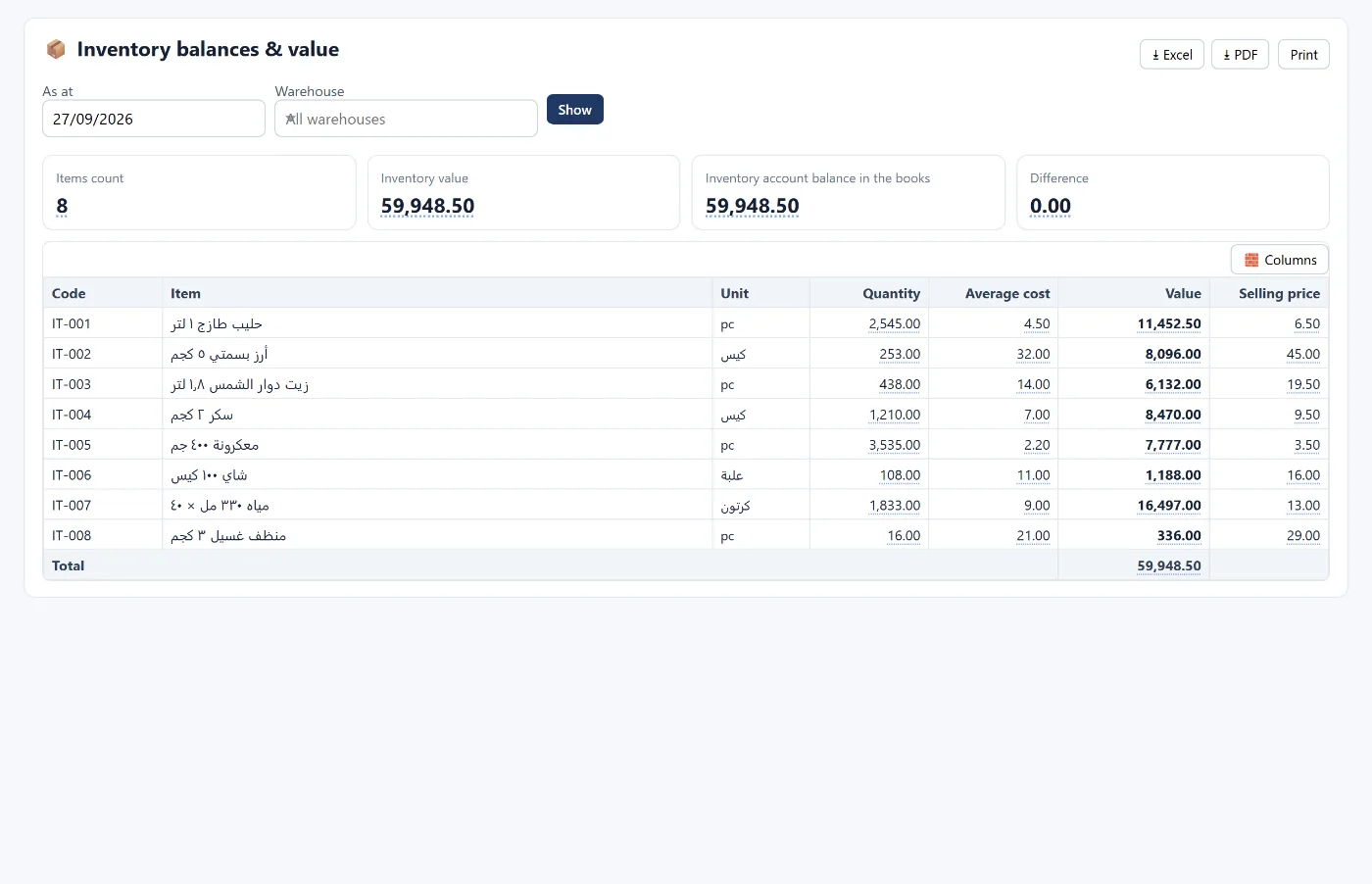
In a retail shop everything moves fast: items arrive every week, sales happen daily in small quantities, count differences appear from nowhere, and the cost of goods changes with every shipment. Tasaheel Accounts ties inventory directly to the books: a purchase invoice brings in the quantity and its cost, and a sales invoice issues it and posts the cost of sales automatically.
Retail accounting problems it solves
- You don't know the value of stock without a long manual count.
- Count differences stay in Excel and never reach the books.
- Cost of goods sold is an estimate, so monthly profit is not accurate.
- Selling a quantity you don't have leaves a meaningless negative balance.
Inventory tied to invoices
Each item has its unit, selling price, cost, VAT rate and accounts (inventory, cost of sales and revenue), plus a reorder level. A purchase invoice brings stock in at cost, and a sales invoice issues it using the approved valuation method (weighted average by default) and posts the cost entry — and the program refuses a sale for a quantity that is not in stock.
The stock balances screen shows each item's quantity, average cost, value and selling price, and reconciles the stock value with the inventory account balance in the books.
Counts and adjustments
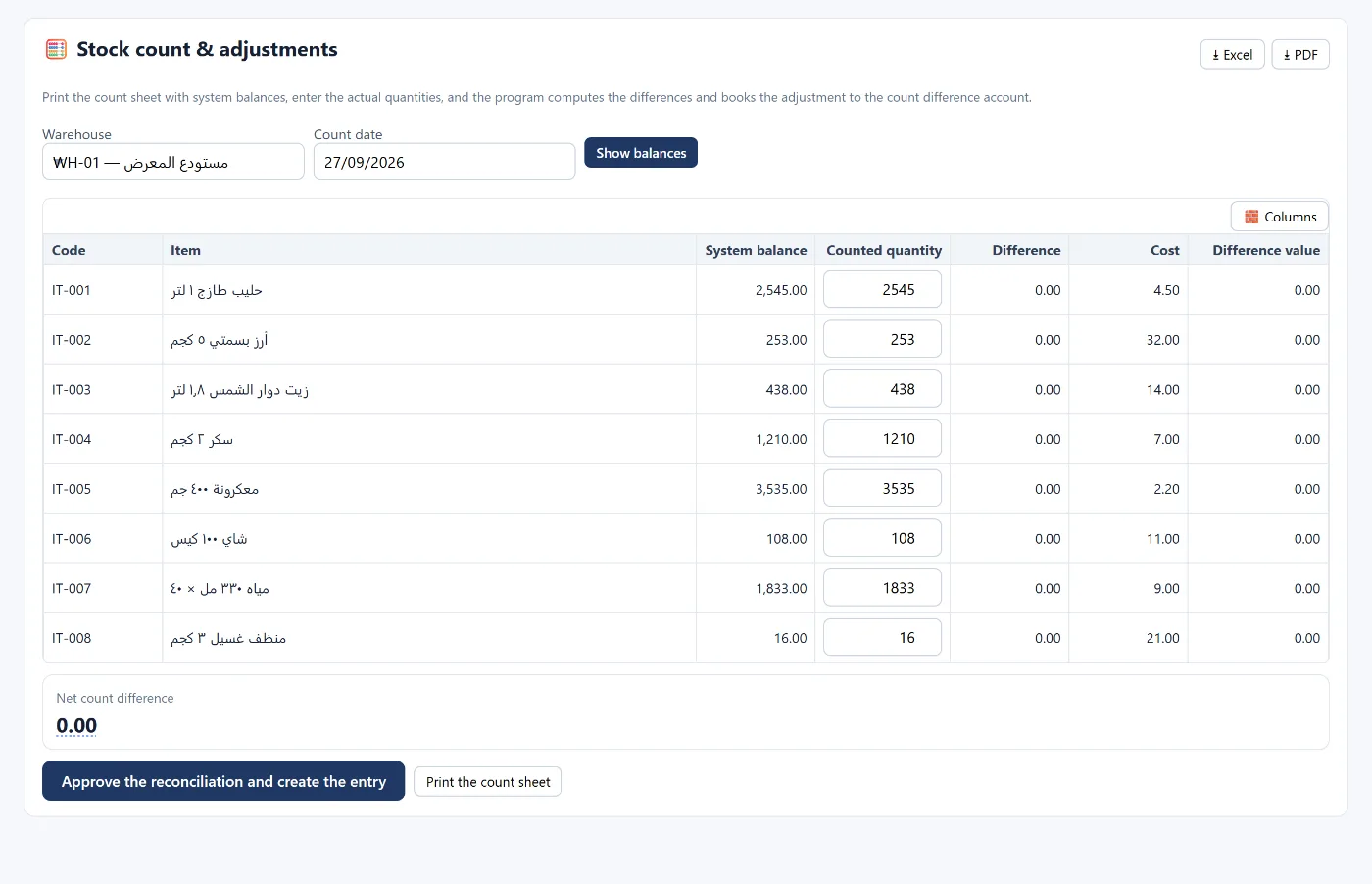
Print the count sheet with system balances, enter the actual quantities, and the program calculates the differences and posts the adjustment to the inventory differences account on approval — instead of leaving them on a side sheet.
Valuing stock more than one way
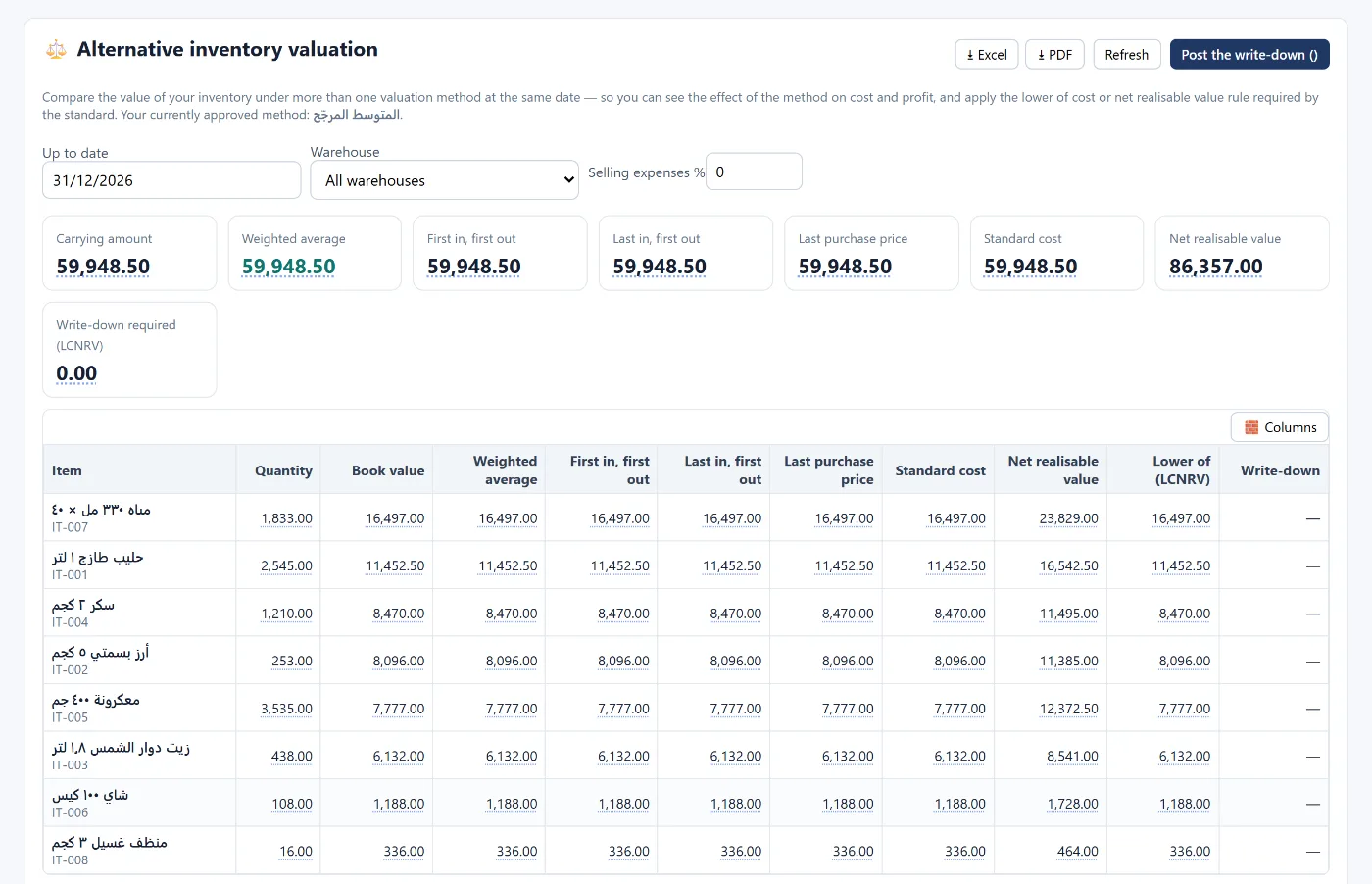
The alternative valuation screen compares your stock value on the same date by weighted average, FIFO, last purchase price and standard cost, and applies the lower of cost and net realisable value required by the standard — so you see the effect of the method on cost and profit before you decide.
Point of sale and invoices
- A separate cashier window for each point of sale, with shifts and cash drawer reconciliation, and several payment methods including mada, transfers and credit.
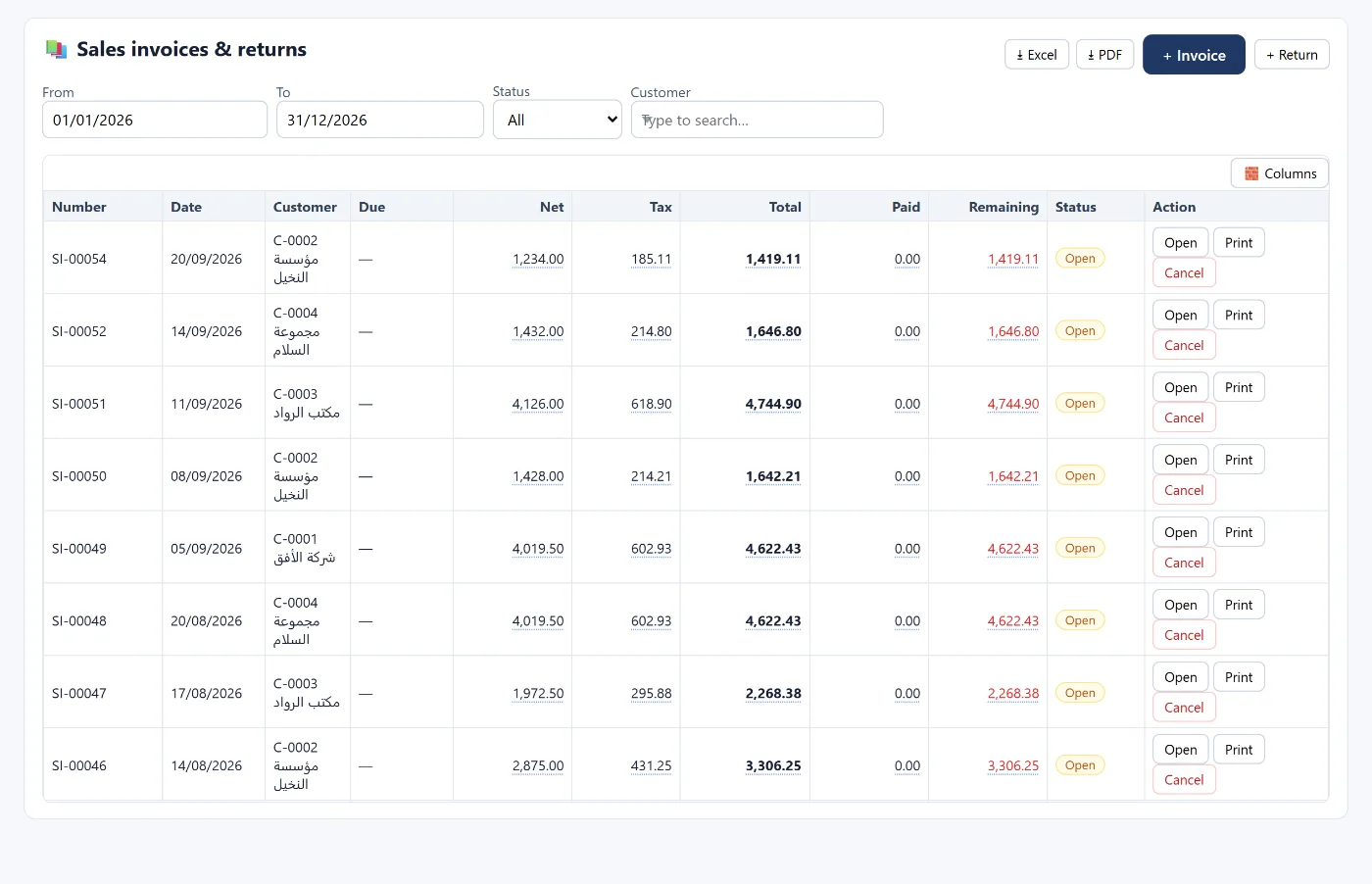
- Sales invoices and returns in one list: net, VAT, total, paid, remaining and status.
- Price lists and discounts: a price rule for an item, a customer or both, with a minimum quantity and a validity period.
- VAT calculated from every invoice, with a monthly report and a quarterly return — see how to calculate VAT and file the return.
Credit customers and receivables ageing
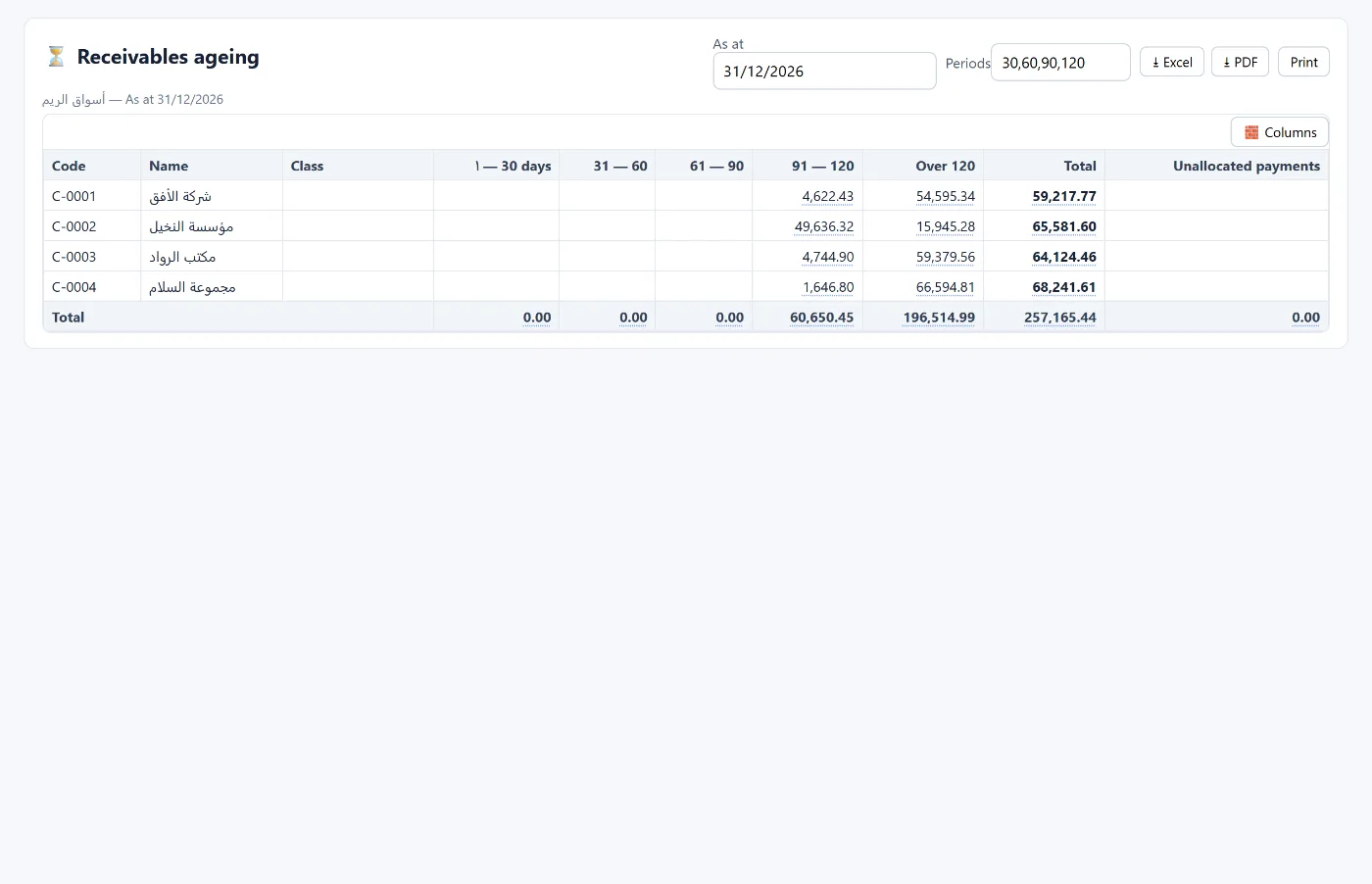
If you sell on credit to business customers, receivables ageing shows each customer's balance spread over overdue periods, so you know whom to chase first.
How to start
- Create your account and choose the retail trade activity.
- Add the warehouse and items with their prices and costs, or import them from Excel.
- Record opening stock, then purchase invoices.
- Start selling from the cashier or from a sales invoice.
The program runs in the browser from any device. Learn more about Tasaheel Accounts or read the user guide.
FAQ
Does it calculate cost of goods sold automatically?
Yes. A sales invoice issues stock using the approved valuation method and posts the cost of sales entry.
Which inventory valuation method does it use?
Weighted average by default, and you can compare the value under other methods on the alternative valuation screen.
What happens if I try to sell more than I have?
The program rejects the invoice with a message that the quantity is not available in stock, so the balance never goes negative.
How do I record count differences?
From stock counts and adjustments: enter the actual quantities, and it calculates the differences and posts the adjustment when approved.
Is it suitable for wholesale?
Yes, and wholesale has its own page — see accounting software for wholesale and distribution. For restaurants see accounting software for restaurants.
Try it in Tasaheel: create a free account, choose the retail activity, and add your first items to see stock and cost update with every invoice.