 Tasaheel ERP
Accounting Software for Restaurants & Cafés
Restaurant accounting in Saudi Arabia and beyond: a separate cashier window, shifts and cash drawer checks, floor plan and bookings, a kitchen screen.
 By Sherif Fadl — Founder, Tasaheel ERP
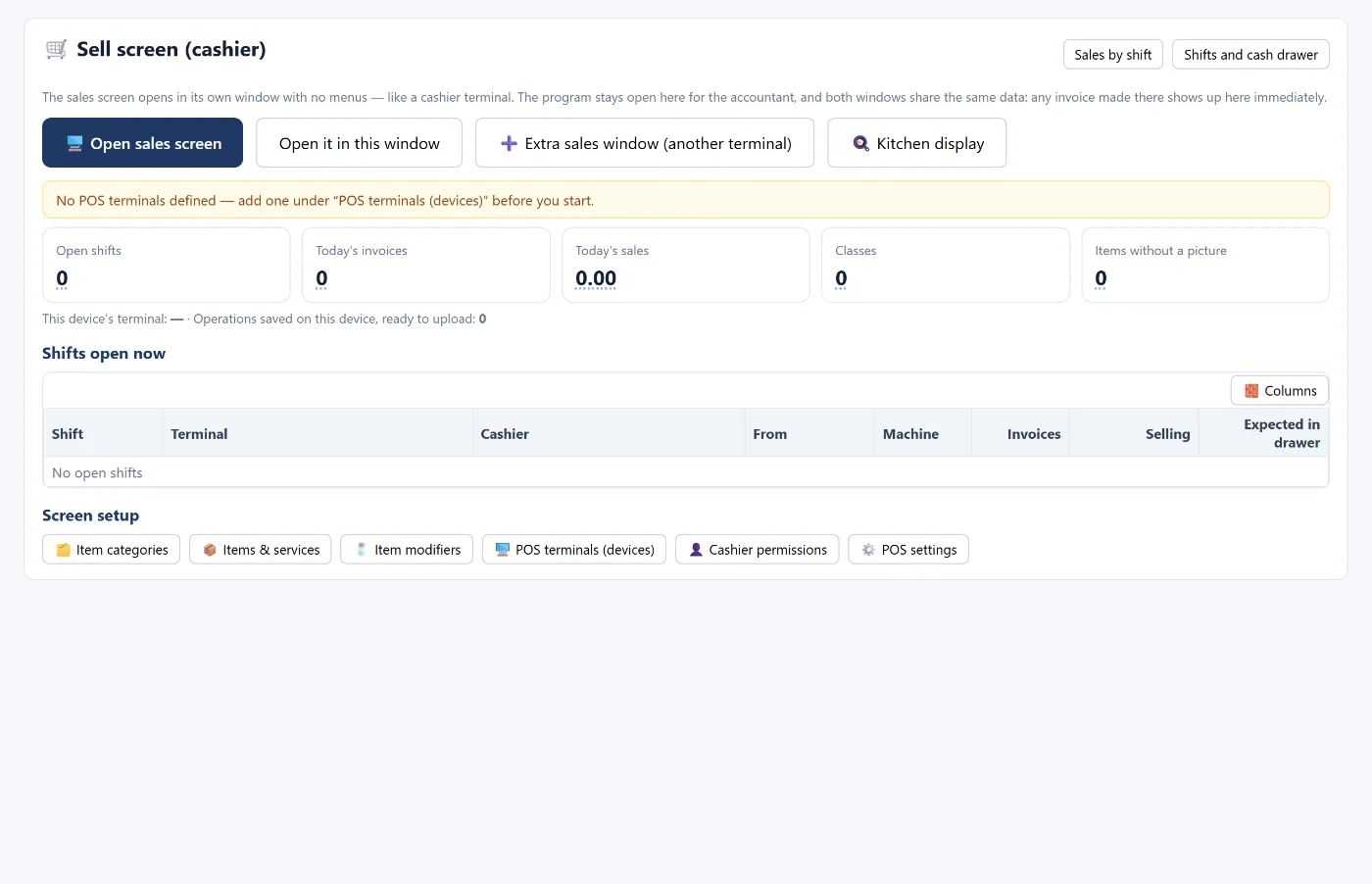
Restaurant and café accounting is unlike any other business: hundreds of small invoices a day, several cashiers and shifts, cash, cards and delivery apps at the same time, and food costs that change every week. Tasaheel Accounts brings all of it into one program that runs in the browser and turns every sale into an accounting entry automatically.
Restaurant accounting problems it solves
- Cash shortages at the end of a shift with no idea why or who.
- Invoices written by hand and retyped into Excel, losing VAT and costs.
- Booking deposits kept in a side notebook and forgotten.
- Tables and reservations on paper the cashier never sees.
- Nobody knows the month's profit until weeks after it closes.
A separate cashier window and multiple points of sale
The sales screen opens in its own window with no menus, like a cashier terminal, while the program stays open for the accountant in another window on the same data — an invoice issued at the till shows up for the accountant immediately. Each point of sale runs from one window only so invoices never mix, and an extra sales window can be opened for another terminal.
- Item categories with pictures, and add-ons for items.
- Permissions per cashier.
- Several payment methods: cash, mada/network card, credit card, bank transfer, delivery apps, and credit sales.
Shifts and cash drawer reconciliation
Every sale happens inside an open shift for a specific point of sale and cashier. At the end of the shift the actual cash is counted — the cash drawer reconciliation screen helps by counting notes and coins — and compared with what should be in the drawer (opening balance + cash sales − withdrawals). The difference is posted as a shortage or overage, and a cashier with repeated shortages stands out in the same table.
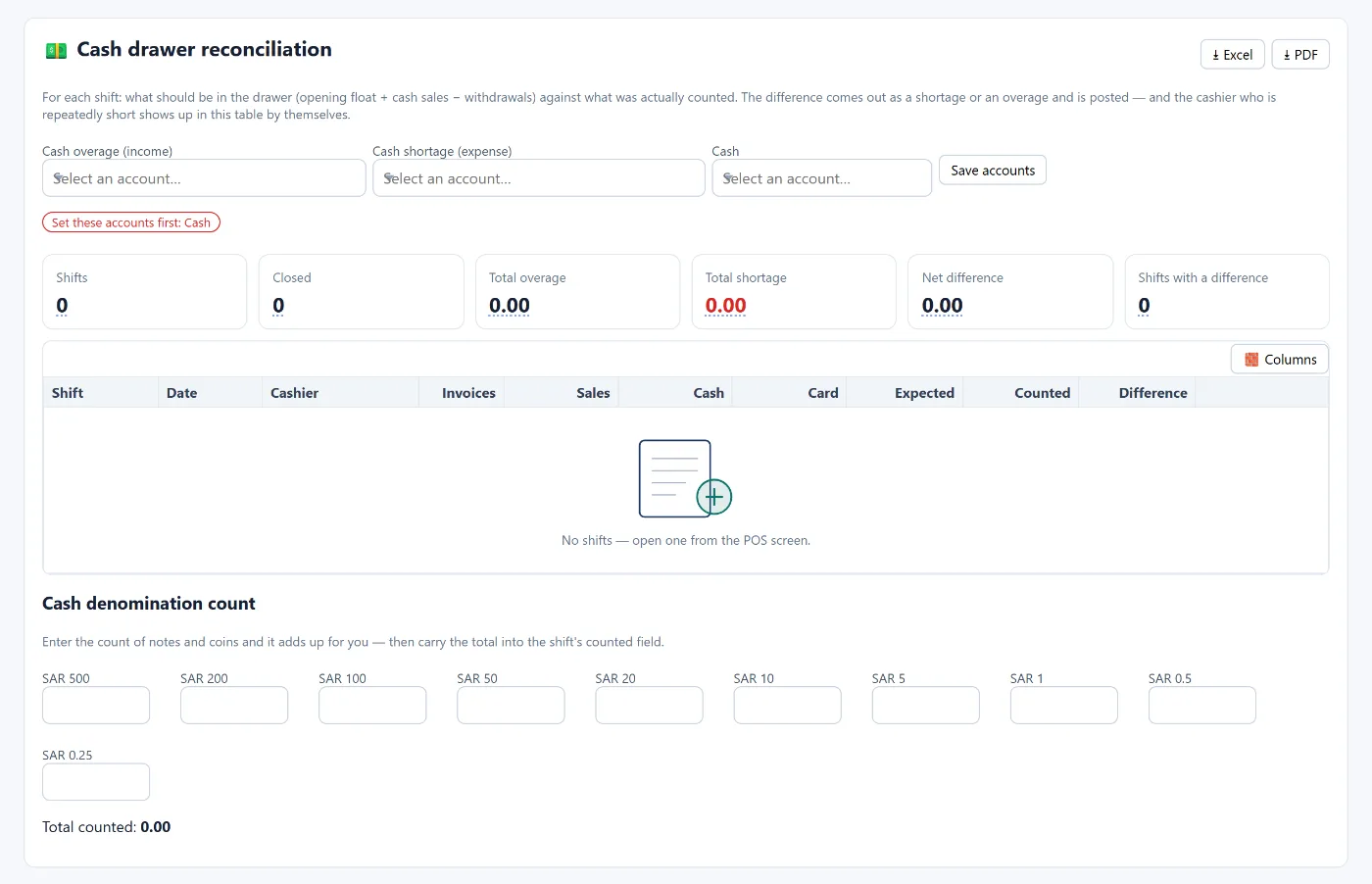
The shift sales report shows each shift with its cashier, point of sale, invoices, returns, collections by payment method, and expected, counted and difference. More in the guide to restaurant POS and shifts.
Floor plan and table reservations
Split the venue into areas (indoor hall, outdoor terrace, private rooms, bar) and add tables one by one or several at once with numbers and seat counts. The cashier picks the table from the plan instead of typing its number, and the table shows the order's name or number.
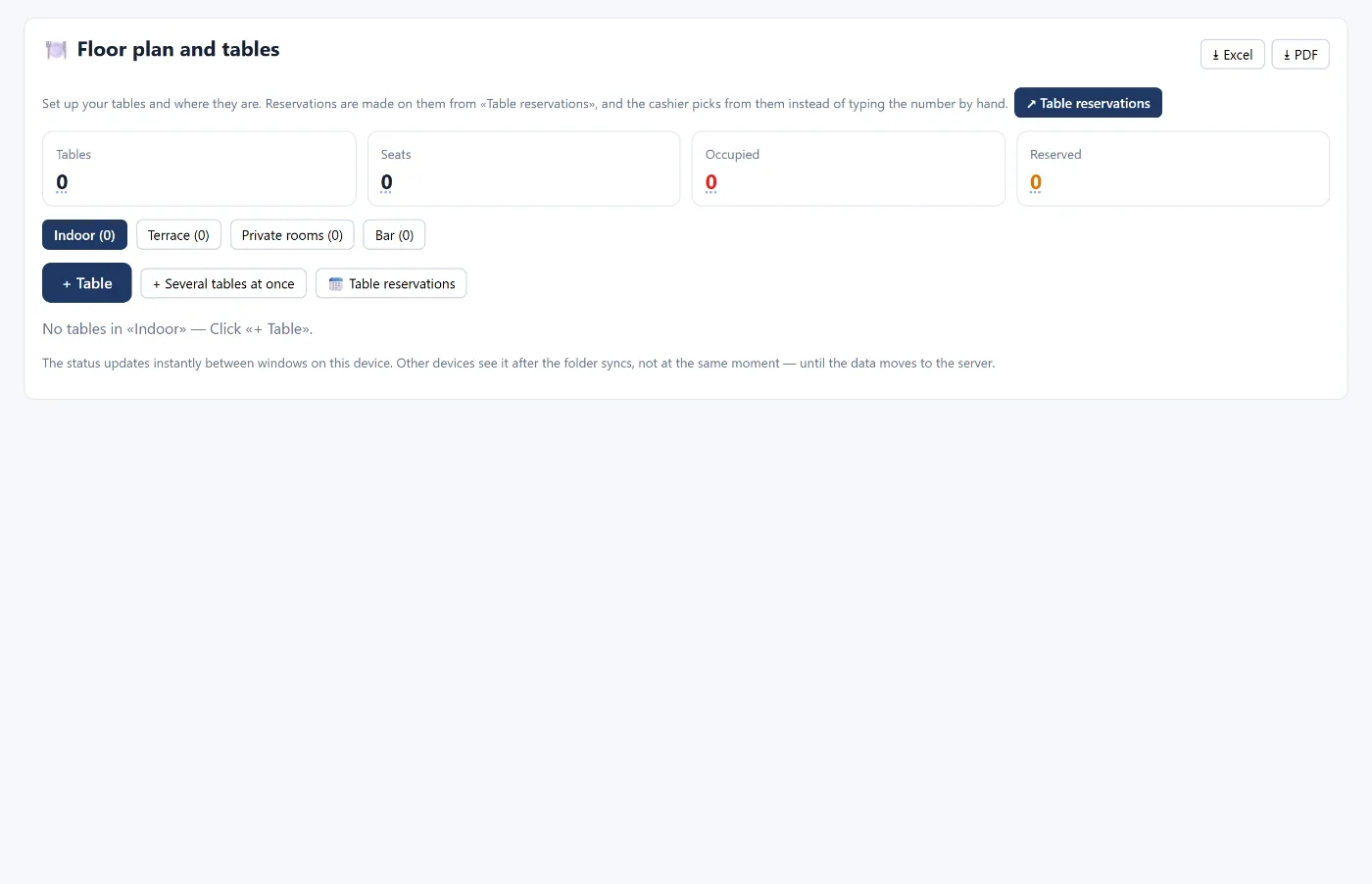
Reservations are recorded with the guest's name, mobile number, party size and time, and the program warns you if the table is booked close to the same time or the party is larger than its seats.
Deposits: a liability, not revenue
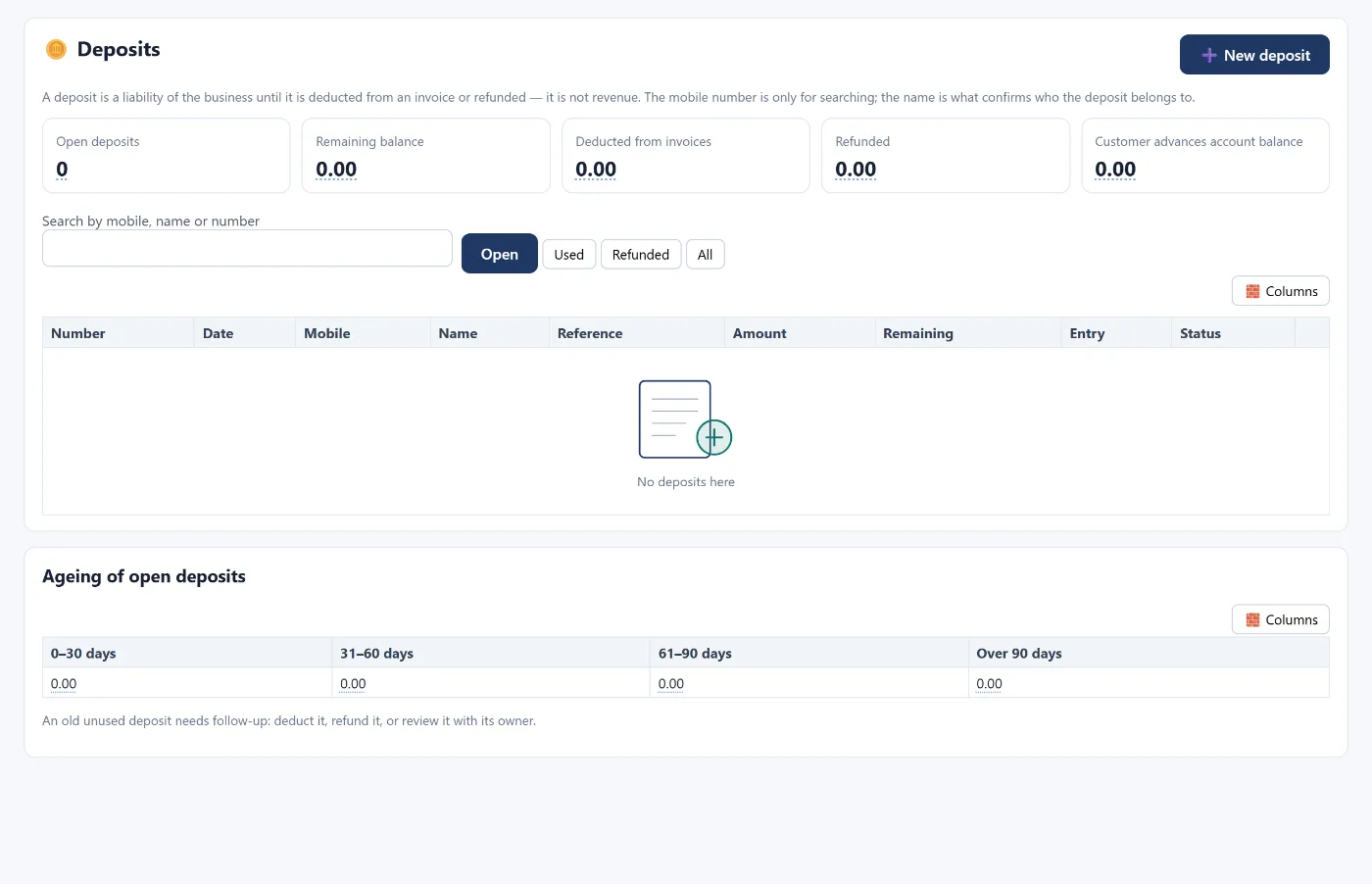
A deposit is recorded with the payer's mobile number and name and stays a liability of the restaurant until it is deducted from an invoice or refunded. At the till the cashier sees a deposit discount above the payment methods and can deduct it from any later invoice. An ageing table of open deposits shows the old ones that need follow-up.
Kitchen screen
Orders appear on a kitchen screen as soon as the cashier takes payment or sends them, and the waiting time changes colour: blue, then orange after 8 minutes, then red after 15. It currently runs on the same device as the cashier.
Financial statements and KPIs without Excel
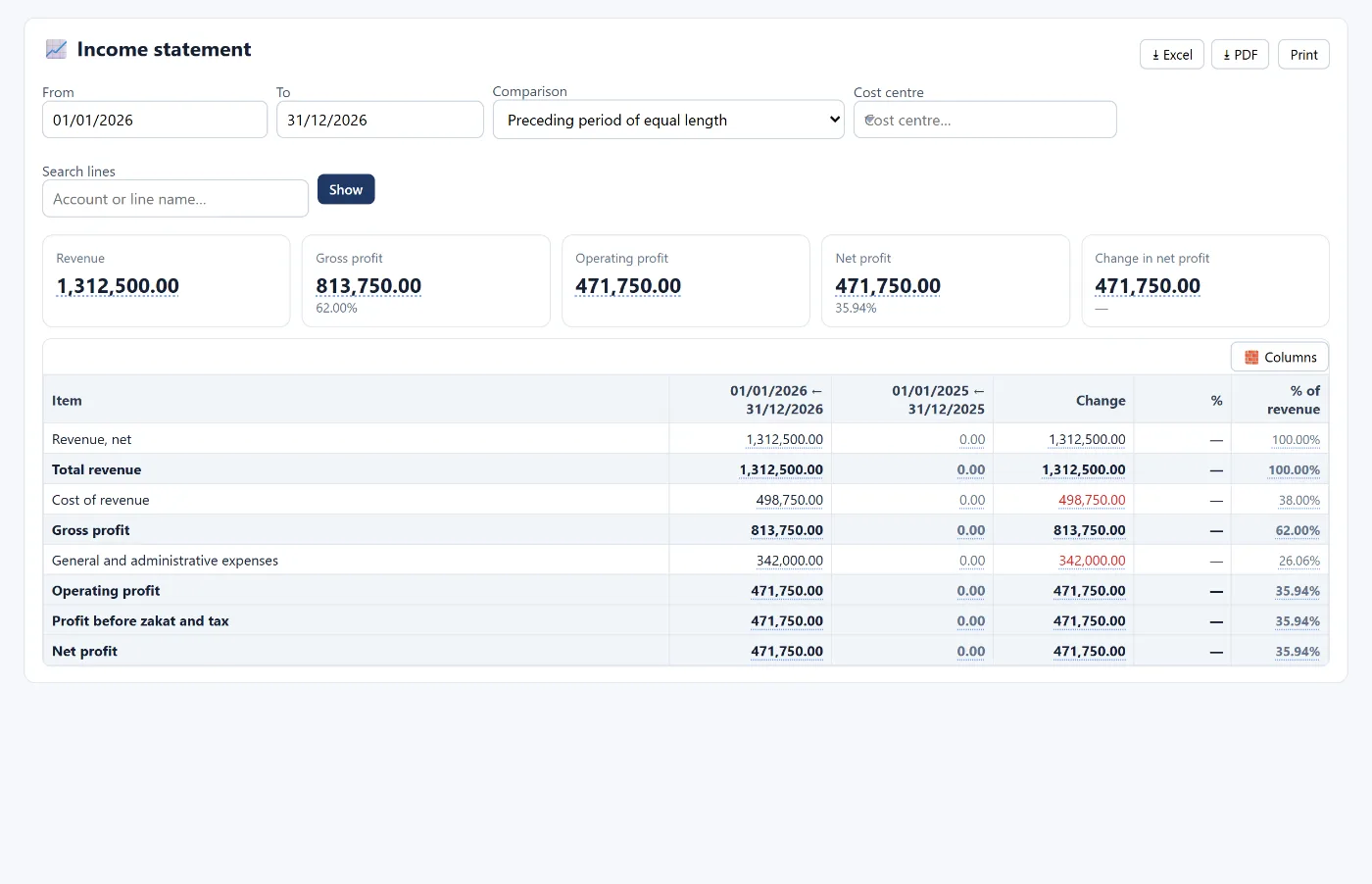
Because every invoice and every shift posts its own entry, the income statement, balance sheet and trial balance are ready at any moment, with a comparison to the prior period and each line as a percentage of revenue. The KPI board shows revenue, margins, liquidity and the operating cycle on one screen.
VAT is calculated from the entries themselves and the quarterly return is assembled automatically — see e-invoicing in Saudi Arabia.
How to start
- Create your account and choose the restaurants and cafés activity — the chart of accounts and restaurant modules are built for you.
- Set up points of sale, items, categories and cashier permissions.
- Draw the floor plan and add tables.
- Open the first shift and start selling.
The program runs in the browser from any device, and your data is stored encrypted on the server. Learn more about Tasaheel Accounts or read the user guide.
FAQ
Does the cashier work without internet?
Yes. The cashier keeps selling if the connection drops; it saves the sales on the device and uploads them when the connection returns. The rest of the program needs a connection to save.
Can more than one cashier work at the same time?
Yes, by defining several points of sale; each point has one sales window so invoices never mix, and each cashier has their own permissions and shifts.
How is a deposit recorded?
As a liability of the restaurant, not revenue, until it is deducted from an invoice or refunded. Details in the restaurant POS guide.
Does it calculate VAT automatically?
Yes, from the invoice lines themselves, grouped into a monthly report and a quarterly return that can be locked after filing.
Is it suitable for cafés and bakeries too?
Yes. The restaurants and cafés activity covers cafés, and the program includes more than 80 activities with ready templates, including contracting and real estate.
Try it in Tasaheel: create a free account, choose the restaurant activity, and the cashier and tables are ready from day one.