 Tasaheel ERP
Contractor Accounting Software — Progress Claims & Job Costs
Contractor accounting in Saudi Arabia and beyond: progress billing (progress claims) with retentions and advances, percentage of completion, and job profit.
 By Sherif Fadl — Founder, Tasaheel ERP
Contracting accounting is nothing like a retail shop: revenue does not come from one invoice but from progress billing — progress claims issued over months — each claim carries retentions and recovers part of the advance payment, and costs are spread across several projects at once. Tasaheel Accounts handles the whole cycle: every project has a contract, a bill of quantities and a cost centre, and each progress claim posts its own entry.
Contracting accounting problems it solves
- Progress claims in Excel, with retentions and advance recovery calculated by hand every time.
- Project profit unknown until handover, when it is too late to correct.
- Budget overruns discovered late.
- Revenue recognised only by billing, so the statements drift away from actual progress on site.
Projects and contracts
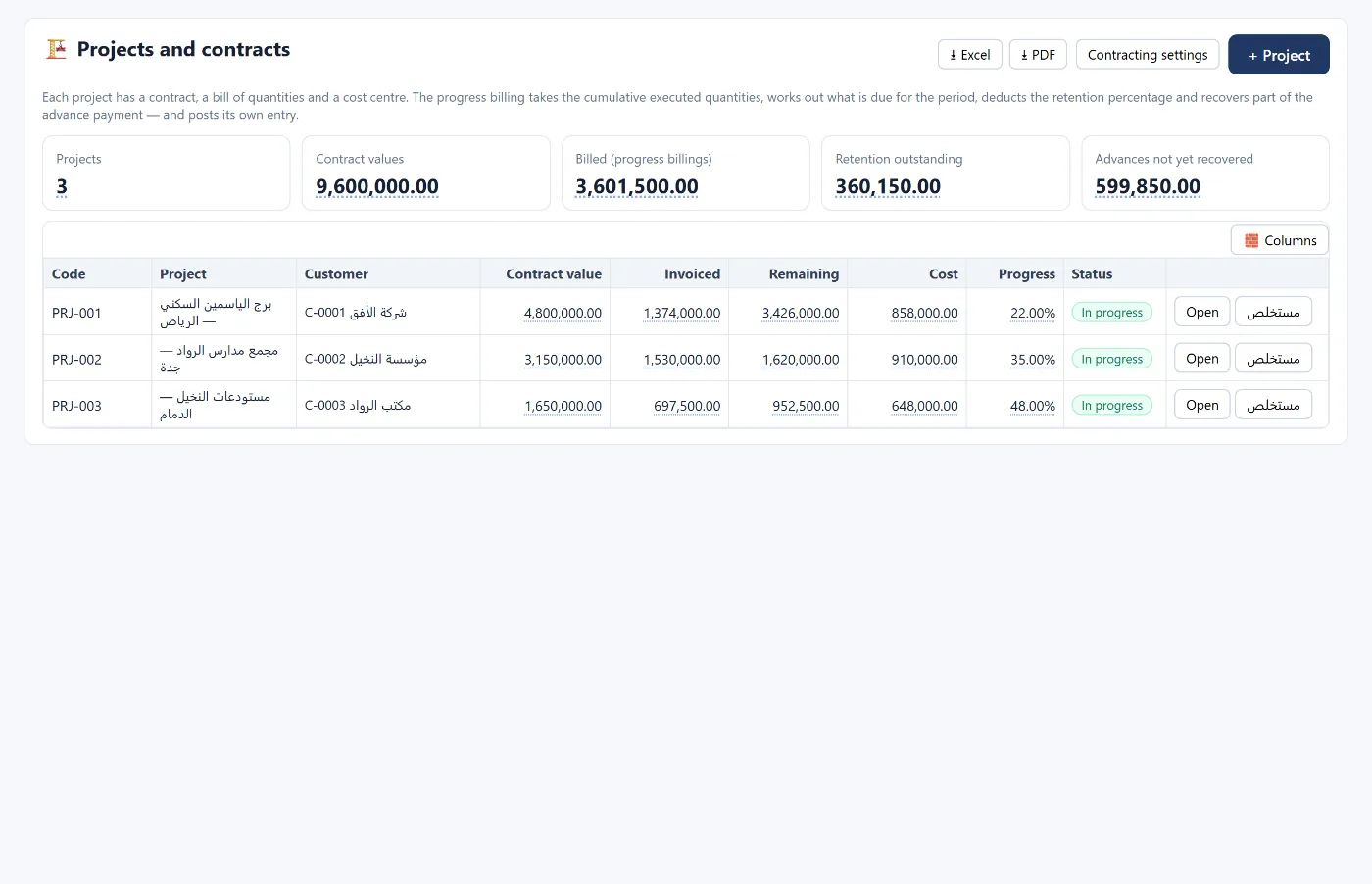
Each project has a code, a client, a contract value and its own cost centre. The projects screen shows the contract value, billed, remaining, cost, completion and status of each project, and any expense posted to the project's cost centre flows into its cost automatically.
Progress claims with retentions and advance payments
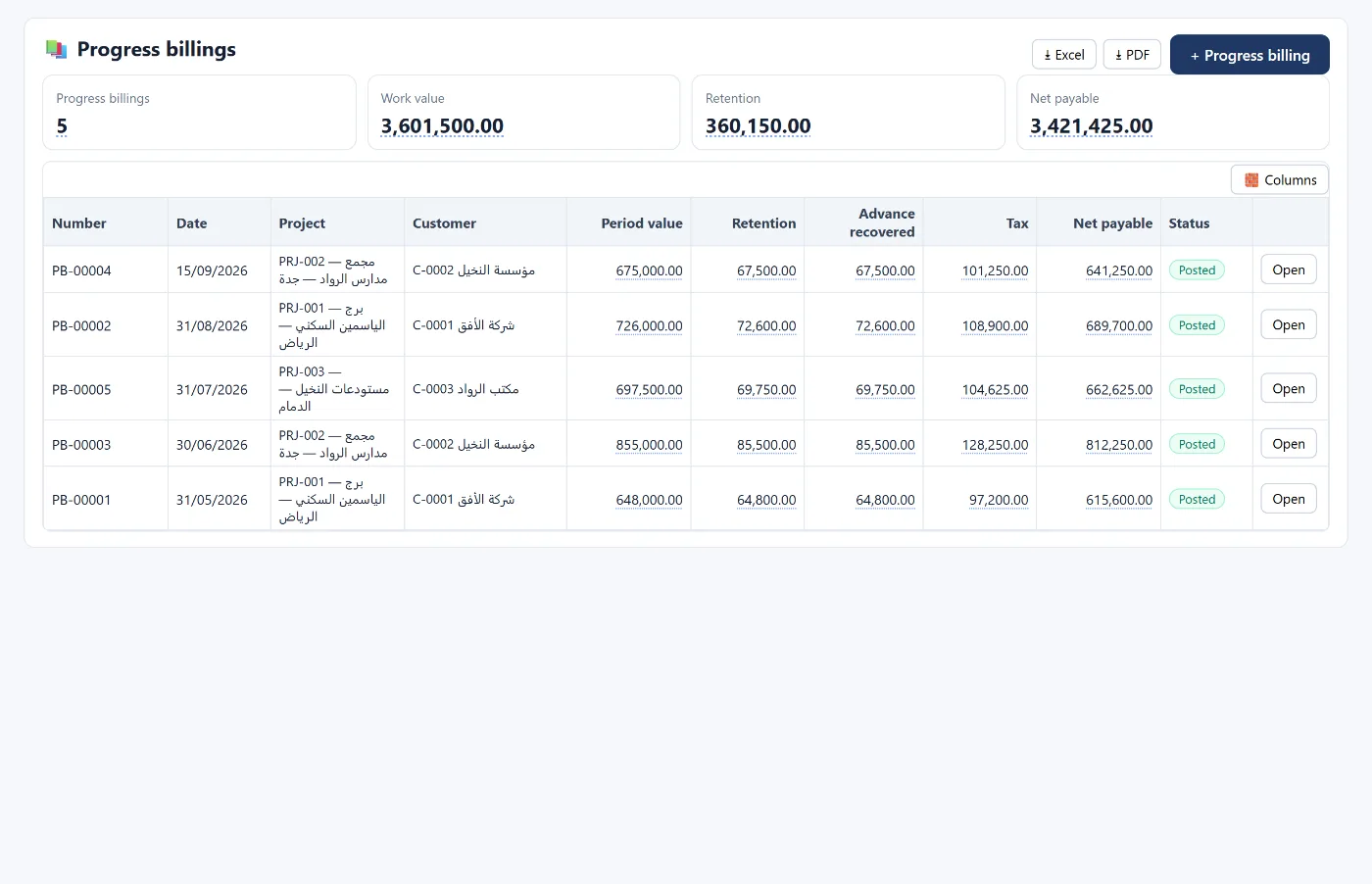
A progress claim takes the cumulative executed quantities, calculates what is due for the period, deducts the retention percentage, recovers part of the advance payment, adds VAT — and posts its own entry. The progress claims list shows for each claim: period value, retentions, advance recovery, VAT, net due and status.
Percentage of completion and revenue recognition
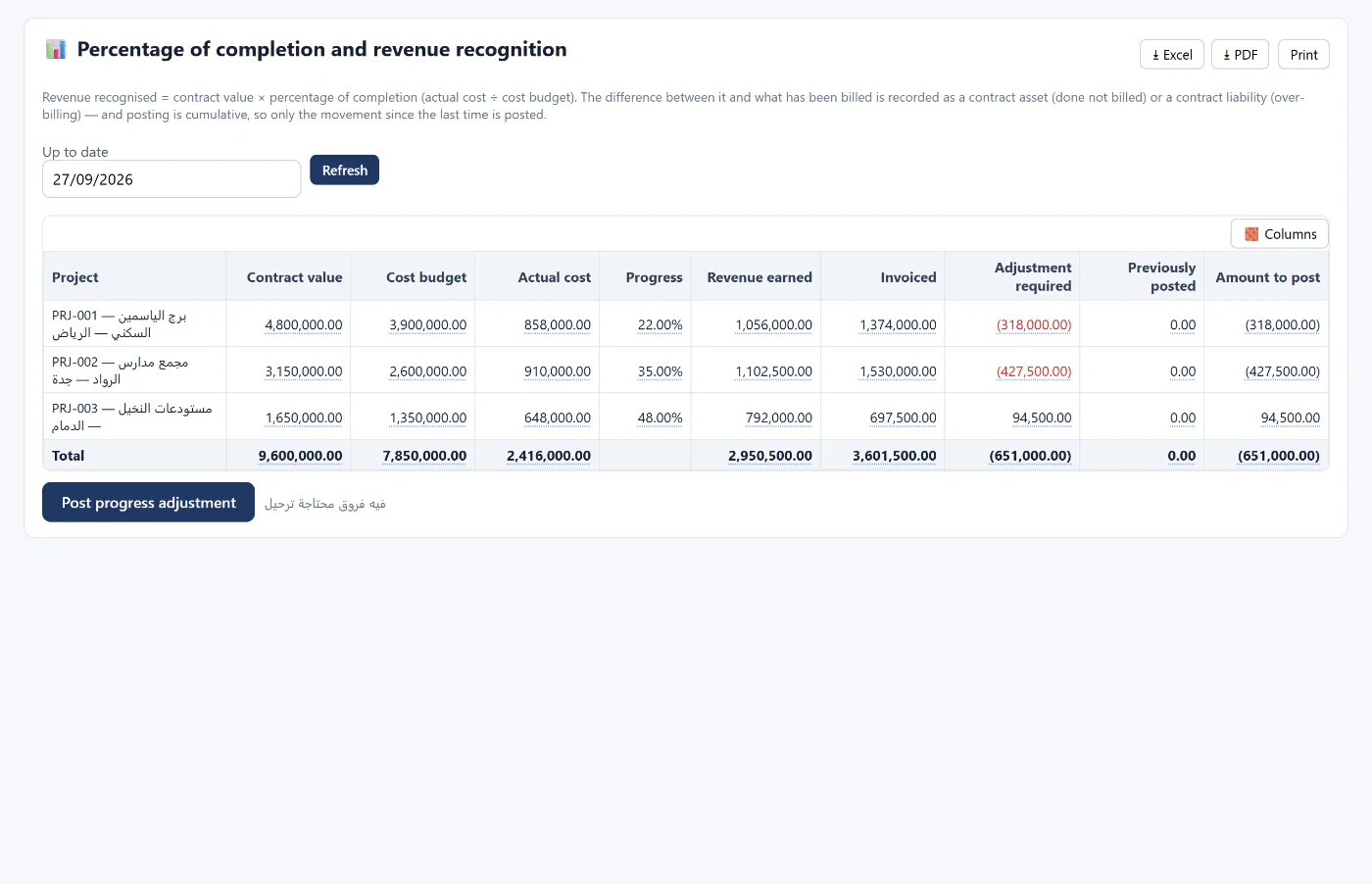
Recognised revenue = contract value × percentage of completion, where completion = actual cost ÷ cost budget. The difference between recognised revenue and what has been billed is recorded as:
- a contract asset when work done exceeds billing, or
- a contract liability when billing exceeds work done.
Posting is cumulative: the program posts only the change since the last posting, up to a date you choose.
Profit per project against budget
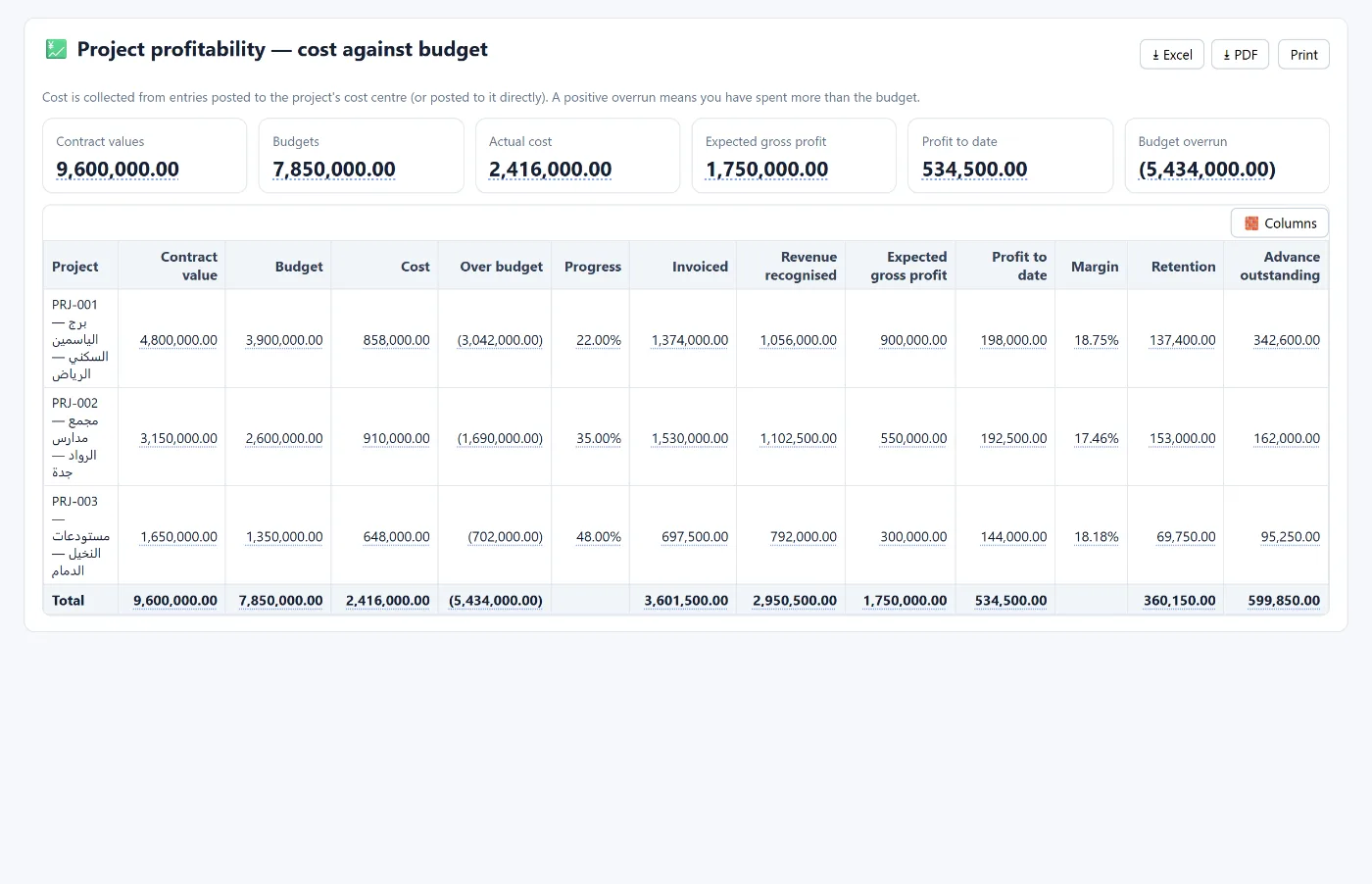
The project profitability report gathers cost from entries posted to each project's cost centre and compares it with the budget: overrun, completion, recognised revenue, expected gross profit, profit to date, margin, retentions and outstanding advance. A positive overrun means spending has passed the budget — and you see it mid-project, not after handover.
Subcontracts and resources
The contracting module also covers subcontracts, a resources and equipment schedule per project, and contracting reports — alongside the rest of the program: employees, payroll and the WPS bank file, fixed assets and equipment depreciation, suppliers and their ageing, and VAT with its returns.
How to start
- Create your account and choose the contracting and construction activity; the chart of accounts and contracting modules are built for you.
- In the contracting settings, set the retention and advance payment accounts.
- Add the first project with its contract value and cost budget.
- Post expenses to the project's cost centre and issue the first progress claim.
The program runs in the browser from any device. Learn more about Tasaheel Accounts or read the user guide.
FAQ
Does it calculate retentions automatically in a progress claim?
Yes. The claim deducts the retention percentage, recovers part of the advance payment, adds VAT and posts the entry.
Does it support revenue recognition by percentage of completion?
Yes, by the cost method: completion = actual cost ÷ cost budget; the difference from billing is recorded as a contract asset or liability, and posting is cumulative.
How do I know if a project is over budget?
From the project profitability report: the overrun column compares actual cost with budget for each project.
Can I manage several projects at once?
Yes. Each project has its own cost centre, and reports show all projects or one at a time.
Is it suitable for real estate developers?
Real estate development and unit sales have their own module — see accounting software for real estate. For restaurants see accounting software for restaurants.
Try it in Tasaheel: create a free account, choose the contracting activity, and add your first project to see progress claims and completion on your own numbers.