 Tasaheel ERP
How to Calculate VAT and File the Return, Step by Step
How VAT works in Saudi Arabia: output and input tax, the taxable base, the quarterly return, adjustments, and what to check before filing to avoid common errors.
 By Sherif Fadl — Founder, Tasaheel ERP
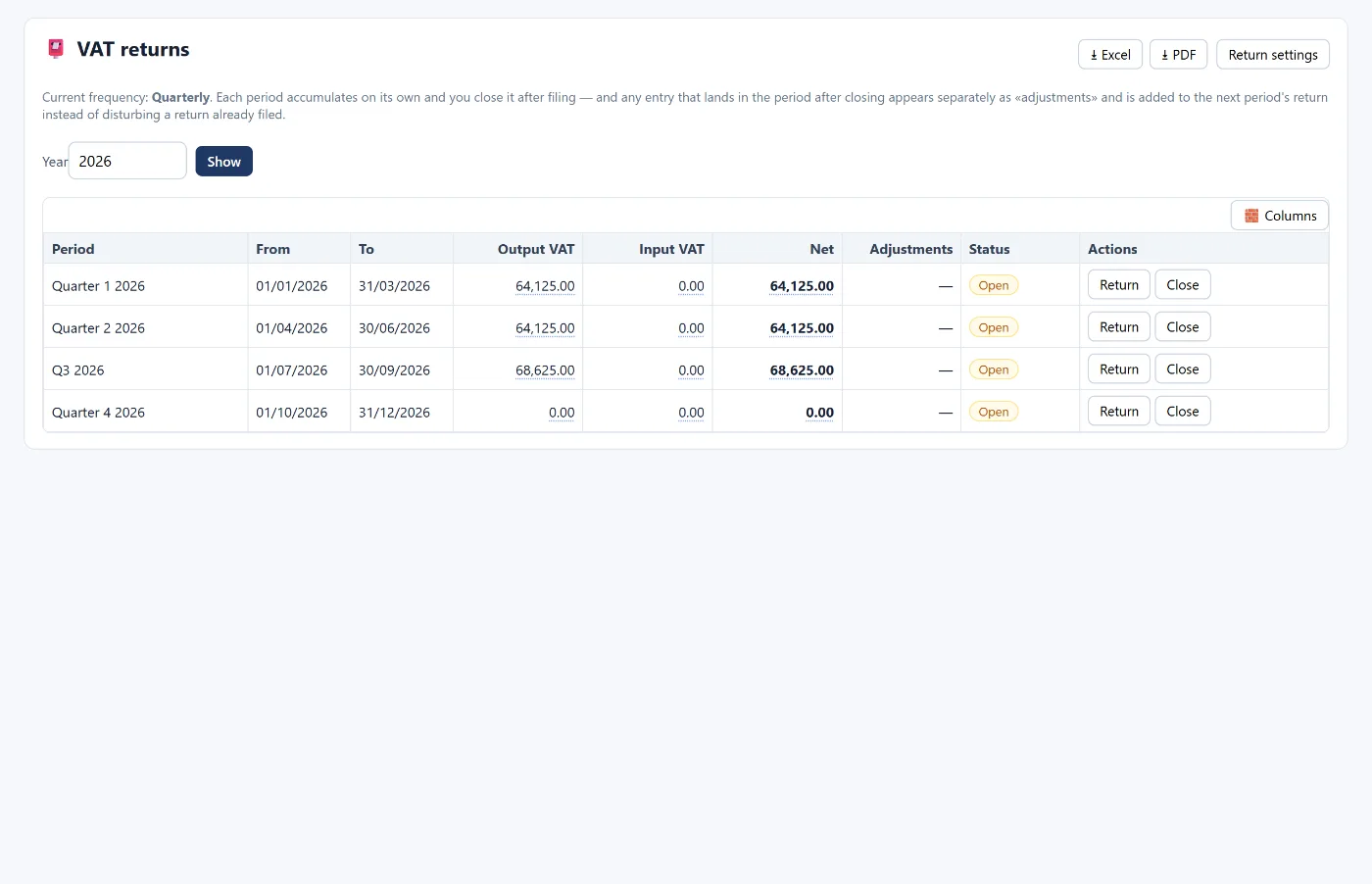
VAT in Saudi Arabia is 15% on most goods and services, and every registered business files a periodic return showing the tax it collected on sales and the tax it paid on purchases. This guide walks through the calculation, the common mistakes, and how Tasaheel Accounts builds the return directly from your entries.
This article is general guidance. The official reference for rates, deadlines and the return form is the ZATCA website.
The basics
- Output VAT: the tax you collect from customers on taxable sales.
- Input VAT: the tax you pay suppliers on taxable purchases and expenses that is deductible.
- Taxable base: the value of sales or purchases before tax.
- Net VAT due = output VAT − deductible input VAT. Positive means you pay; negative means you carry a credit.
A simple quarterly example
A business sold SAR 900,000 before tax in the quarter and bought taxable materials and expenses of SAR 400,000 before tax:
- Output VAT = 900,000 × 15% = SAR 135,000.
- Input VAT = 400,000 × 15% = SAR 60,000.
- Net due = 135,000 − 60,000 = SAR 75,000.
The arithmetic is easy; the hard part is making sure every invoice carries the right base and tax, and that a period's numbers do not change after its return is filed.
The accounting entries
- On a sale: debit the customer or cash (gross), credit sales (base) and output VAT (tax).
- On a purchase: debit the expense or inventory (base) and input VAT (tax), credit the supplier or cash.
- On payment to ZATCA: debit output VAT, credit input VAT and the bank for the net.
If input VAT is not deductible (for an ineligible expense, for example), it is added to the cost of that expense and stays out of the return.
Preparing the return
- Make sure invoices are complete: all of the period's sales and purchases are posted, with no drafts left.
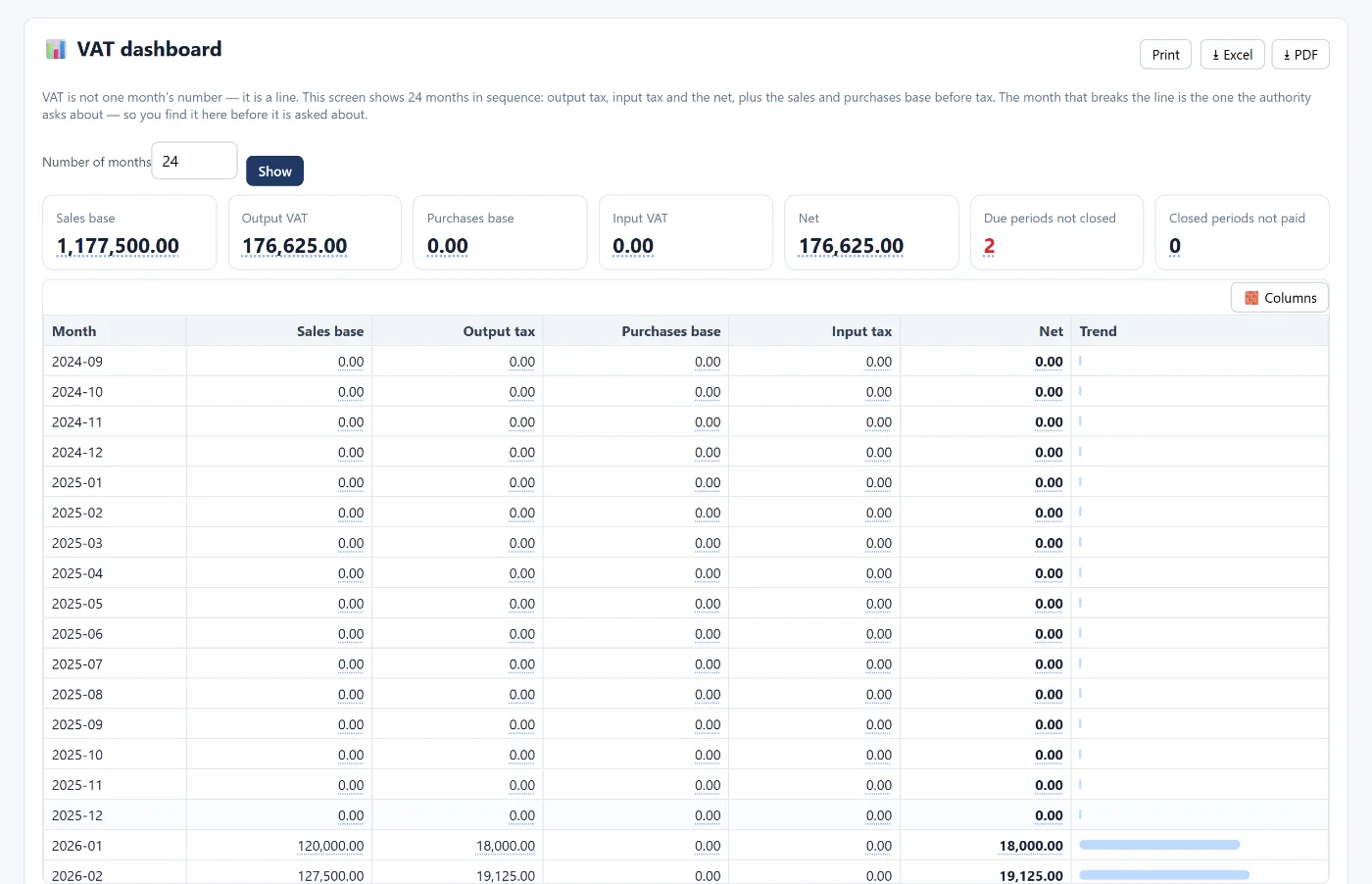
- Review base and tax month by month: a month that breaks the pattern deserves a look.
- Check the common mistakes (next section).
- Total the period: output VAT, input VAT and net.
- File the return through the ZATCA portal on time.
- Lock the period in your system so a filed return's figure never changes.
Common mistakes before filing
- A taxable sale invoiced without VAT, or the opposite.
- Input VAT claimed on an invoice without a valid supplier VAT number.
- VAT deducted on an ineligible expense.
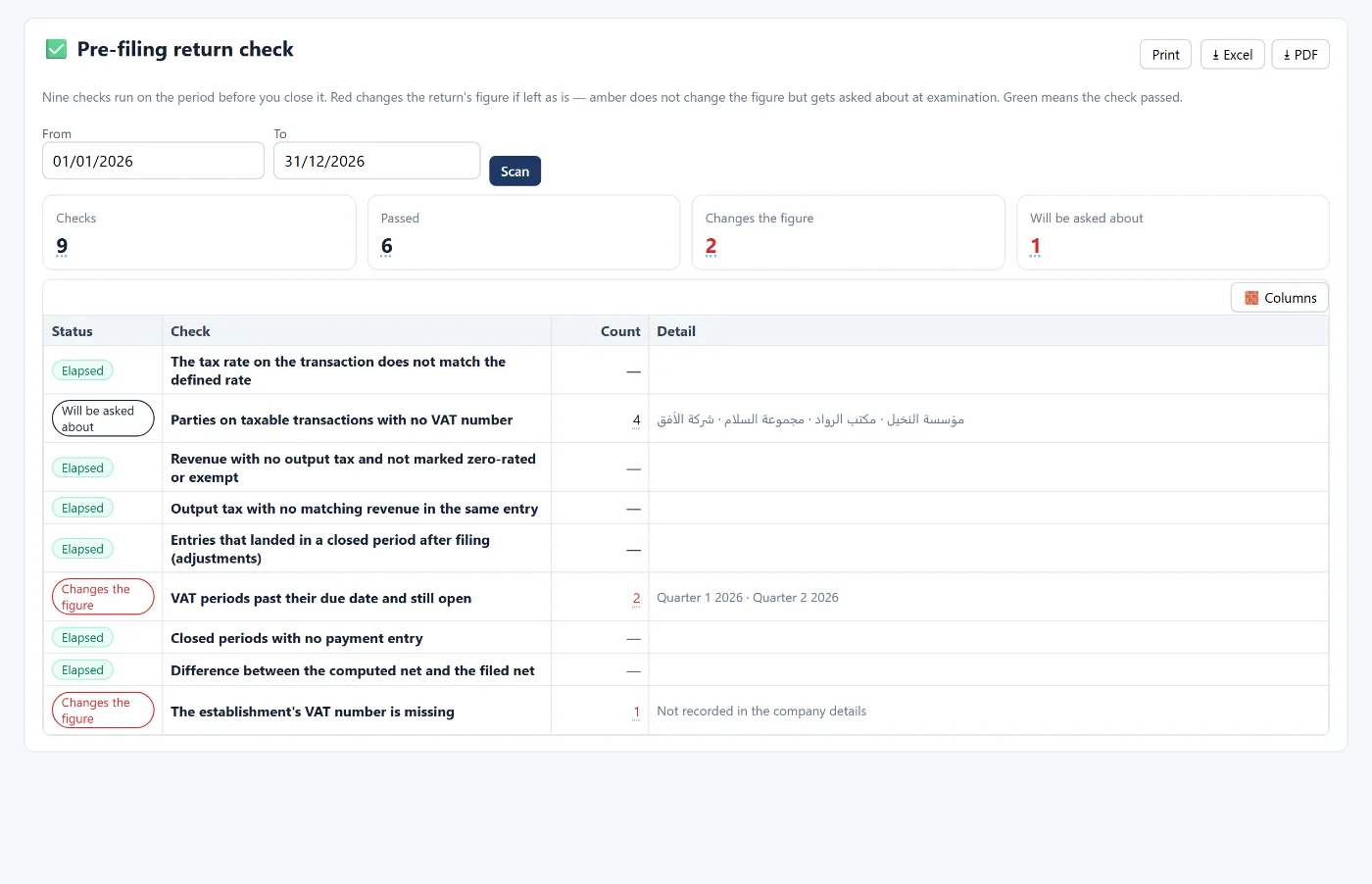
- An entry dated in a period whose return was already filed, changing its figure after filing.
- A mistyped VAT rate on an invoice line.
How Tasaheel Accounts builds the return
In Tasaheel, VAT is calculated from the entries themselves, not a side file:
- VAT report: built from entries posted to the defined tax accounts, showing each month's sales base, output VAT, purchase base, input VAT and net due.
- VAT dashboard: 24 consecutive months of output, input and net, so a month that breaks the line shows up before ZATCA asks about it.
- Pre-filing return check: nine checks on the period before it is locked; red would change the return figure if left, amber does not change it but may be queried in an audit, and green means the check passed.
- VAT returns: each period (quarterly, for example) is grouped on its own and locked after filing; any entry that lands in a locked period shows separately as an adjustment and is added to the next return instead of disturbing a filed one.
The invoice itself is part of the picture: a phase one QR code and a UBL 2.1 XML file for phase two — details in e-invoicing in Saudi Arabia.
FAQ
What is the VAT rate in Saudi Arabia?
The standard rate is 15% on most goods and services, with zero-rated and exempt cases defined by the law. See the ZATCA website for details.
Is the return monthly or quarterly?
It depends on the business's revenue as set by ZATCA; in Tasaheel the return frequency is set in the return settings.
What if I find an invoice after filing?
In Tasaheel it shows as an adjustment and is added to the next period's return, while the filed return stays as it is. Official corrections with ZATCA follow its own procedures.
Is all VAT paid on purchases deductible?
No. VAT on ineligible expenses or on invoices that do not meet the requirements is added to cost and not deducted.
Does the program calculate VAT from invoices automatically?
Yes. Every sales or purchase invoice posts its entry with VAT, and the reports and the return are built from those entries.
Read also accounting software for restaurants and month-end close, or learn more about Tasaheel Accounts.
Try it in Tasaheel: create a free account, record a month of invoices, and open the pre-filing return check to see the nine checks on your own data.