 Tasaheel ERP
Pharmacy Accounting Software — Expiry Dates, Batches, POS
Accounting software for pharmacies in Saudi Arabia and beyond: medicine batches and expiry dates, near-expiry alerts, write-offs, the cashier, stock.
 By Sherif Fadl — Founder, Tasaheel ERP
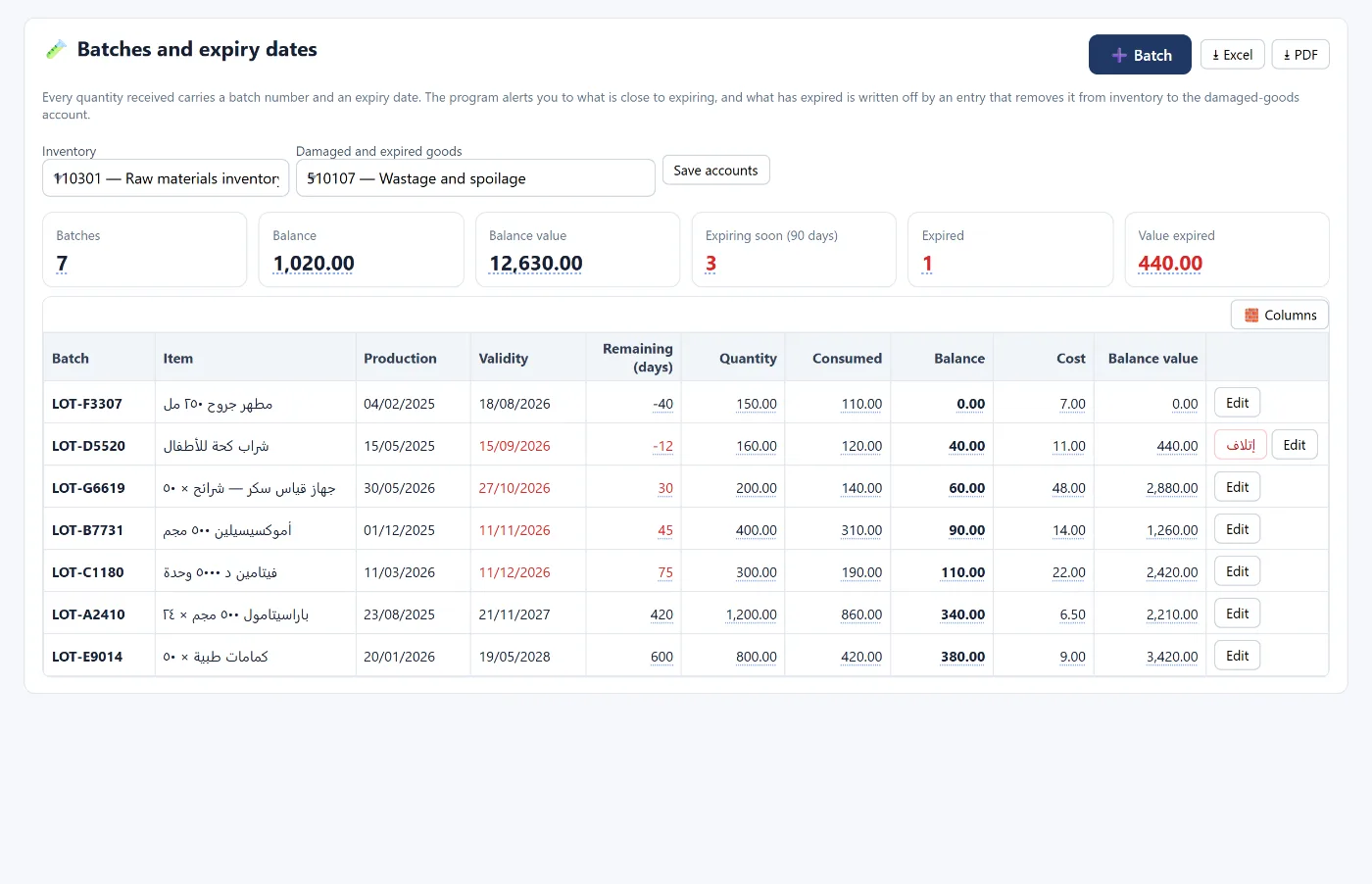
In a pharmacy, a medicine that expires on the shelf is a straight loss, and a stock count without batch numbers cannot tell you which quantity expires first. Tasaheel Accounts ties every quantity received to a batch number and an expiry date, alerts you to what is close to expiry before it is too late, and writes off expired stock with an entry that takes it out of inventory — alongside the cashier, stock and insurance claims.
Pharmacy accounting problems it solves
- Medicines expire without anyone noticing until the stocktake.
- Expired stock stays in inventory value, inflating the balance sheet.
- Fast sales at the till with no link to stock and its cost.
- Insurance claims on prescriptions tracked outside the books.
Batches and expiry dates
Each quantity received has a batch number, item, manufacture and expiry dates, quantity, used and remaining, cost and value. The screen shows at the top: number of batches, remaining quantity and value, what expires within 90 days, and expired stock with its value — sorted by expiry date, so the nearest expiry comes first.
Writing off expired stock
An expired batch has a write-off button: it posts an entry that moves its balance out of inventory to the damaged and expired stock account, so no expired medicine stays in inventory value.
Cashier and sales
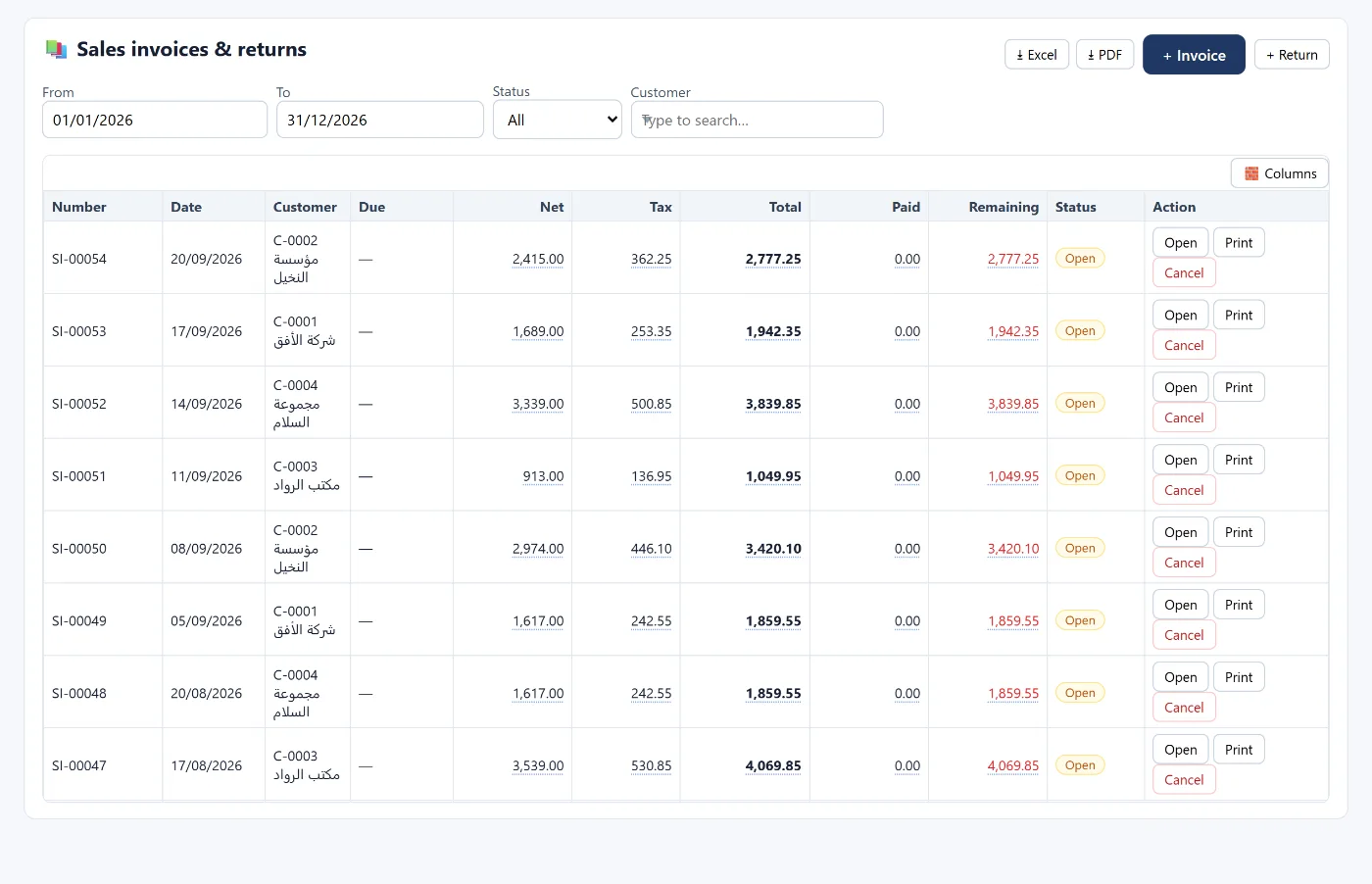
- A separate cashier window for each point of sale, with shifts and cash drawer reconciliation, and several payment methods including mada and transfers.
- Every sale issues stock using the approved valuation method and posts the cost entry, and a sale for a quantity not in stock is refused.
- VAT according to each item's VAT rate as you define it — see how to calculate VAT and file the return.
Stock and its value
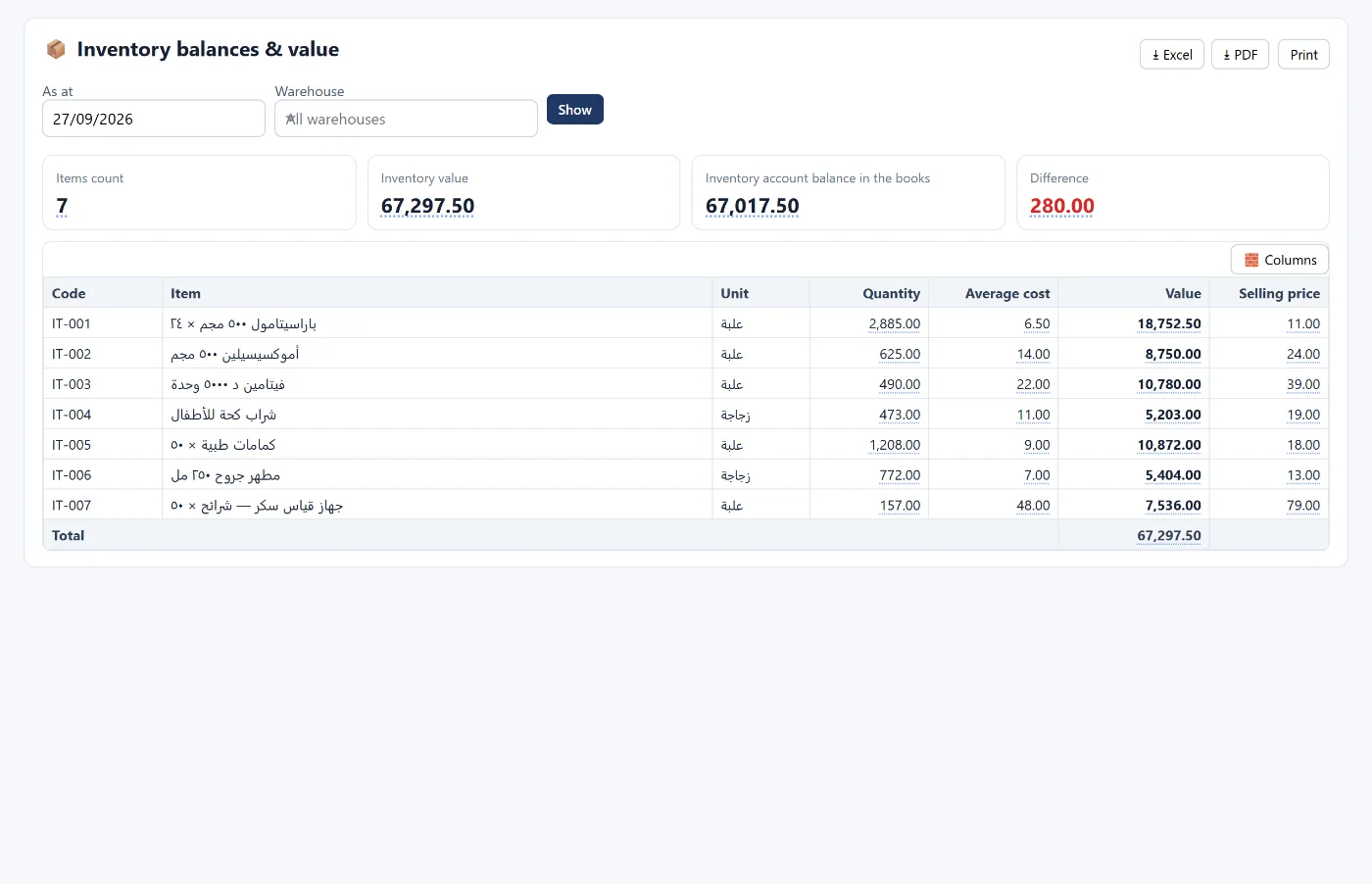
Stock balances show each item's quantity, average cost, value and selling price, reconciled with the inventory account in the books.
Insurance claims
For prescriptions covered by insurance: the value is split into the patient share (cash) and the insurer share (a receivable), and rejected amounts are recorded on their own so you know the rejection rate. Details in accounting software for clinics.
How to start
- Create your account and choose the pharmacies activity.
- Add items with prices, costs and VAT rates, or import them from Excel.
- Record batches with their expiry dates on every receipt.
- Start selling from the cashier, and review near-expiry stock weekly.
Learn more about Tasaheel Accounts or read the user guide.
FAQ
Does it alert me to medicines close to expiry?
Yes. It shows what expires within 90 days, and batches are sorted by expiry date.
How is expired medicine treated in the books?
With the write-off button on the batch: an entry moves its balance out of inventory to the damaged and expired stock account.
Does the cashier work offline?
Yes. The cashier keeps selling if the connection drops; it saves the sales on the device and uploads them when the connection returns. The rest of the program needs a connection to save.
Does it handle insurance claims on prescriptions?
Yes, by splitting the value between the patient and the insurer, and recording rejections and the rejection rate.
Is it suitable for medicine warehouses?
Yes, with purchases, stock and batches. See also accounting software for wholesale and distribution.
Try it in Tasaheel: create a free account, choose the pharmacies activity, and record your first batch with its expiry date.