 Tasaheel ERP
Accounting Software for Clinics and Medical Centres
Accounting software for clinics and medical centres in Saudi Arabia and beyond: insurance claims split into patient and insurer shares, rejections, doctors' dues.
 By Sherif Fadl — Founder, Tasaheel ERP
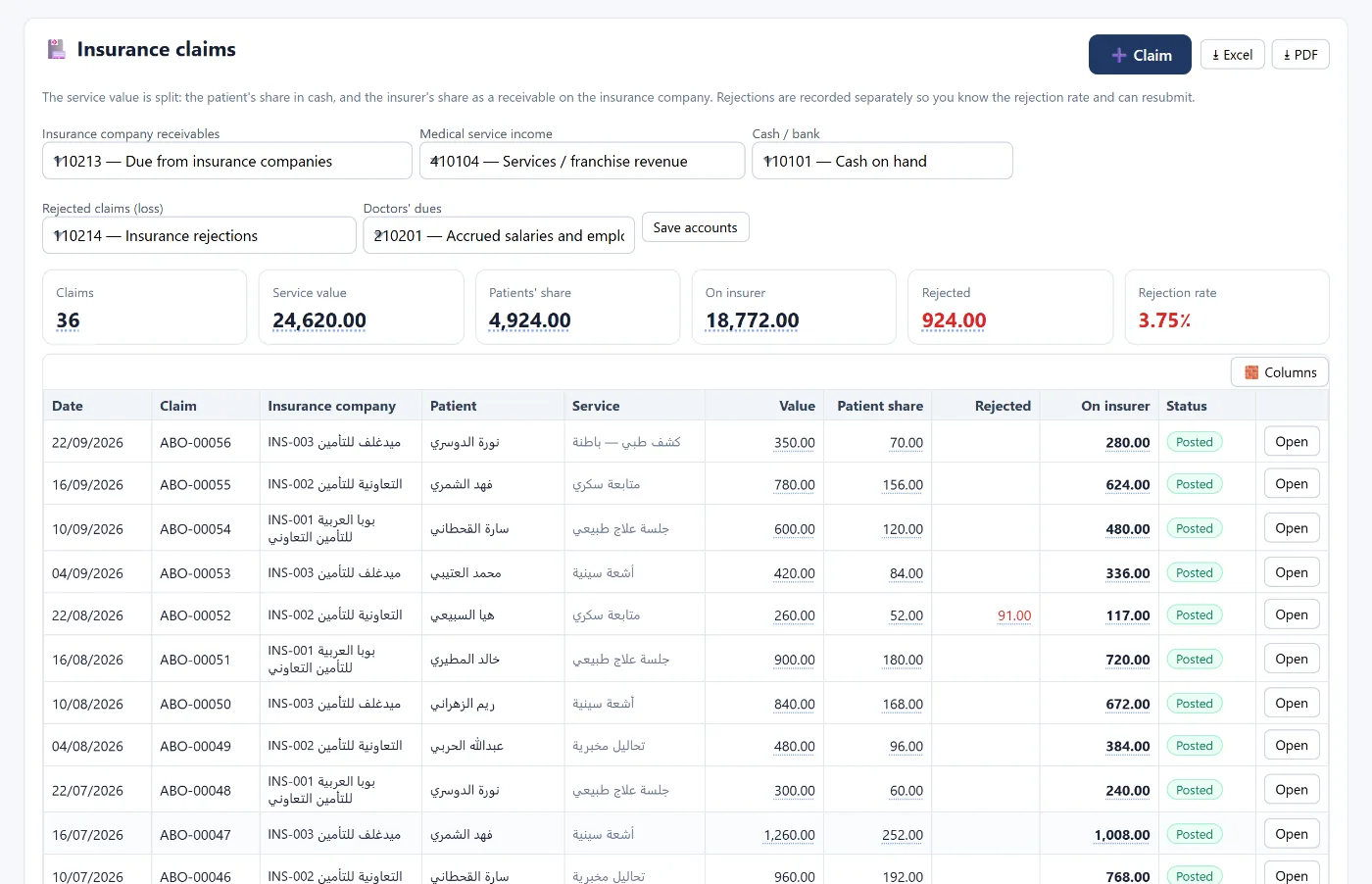
A clinic's revenue does not come from the patient alone: part is paid by the patient in cash, part is claimed from the insurance company and may take two or three months, and part may be rejected and lost if nobody appeals in time. Tasaheel Accounts separates these parts from the very first entry, so you know what each insurer owes you, what was rejected, and for how long.
Clinic accounting problems it solves
- Insurance revenue booked in full, then part of it turns out to be rejected.
- No rejection rate per insurer, so nobody knows where the problem is.
- Doctors' dues calculated in a separate sheet.
- Medical supplies expiring in the store without warning.
Insurance claims
On the insurance claims screen, the value of each service is split into:
- Patient share: collected in cash into the cash box.
- Insurer share: a receivable from the insurance company until it pays.
- Rejected amount: recorded on its own, so you know the rejection rate and can resubmit.
- Doctor's due: accrued as a liability when the claim is posted, if you set it.
Each claim has a date, insurer, patient, service and value, and the screen shows the total service value, patient share, amount due from insurers, rejected amount and rejection rate at the top.
Rejections and claim ageing
A rejected claim is not late revenue — it is revenue lost unless it is appealed in time. The rejections and claim ageing report shows the rejection rate for each insurer by value and by count (these differ — two rejected claims can be worth half the month's value), with ageing of what is due (0–30, 31–60, 61–90 and over 90 days) and its average age.
Insurer receivables
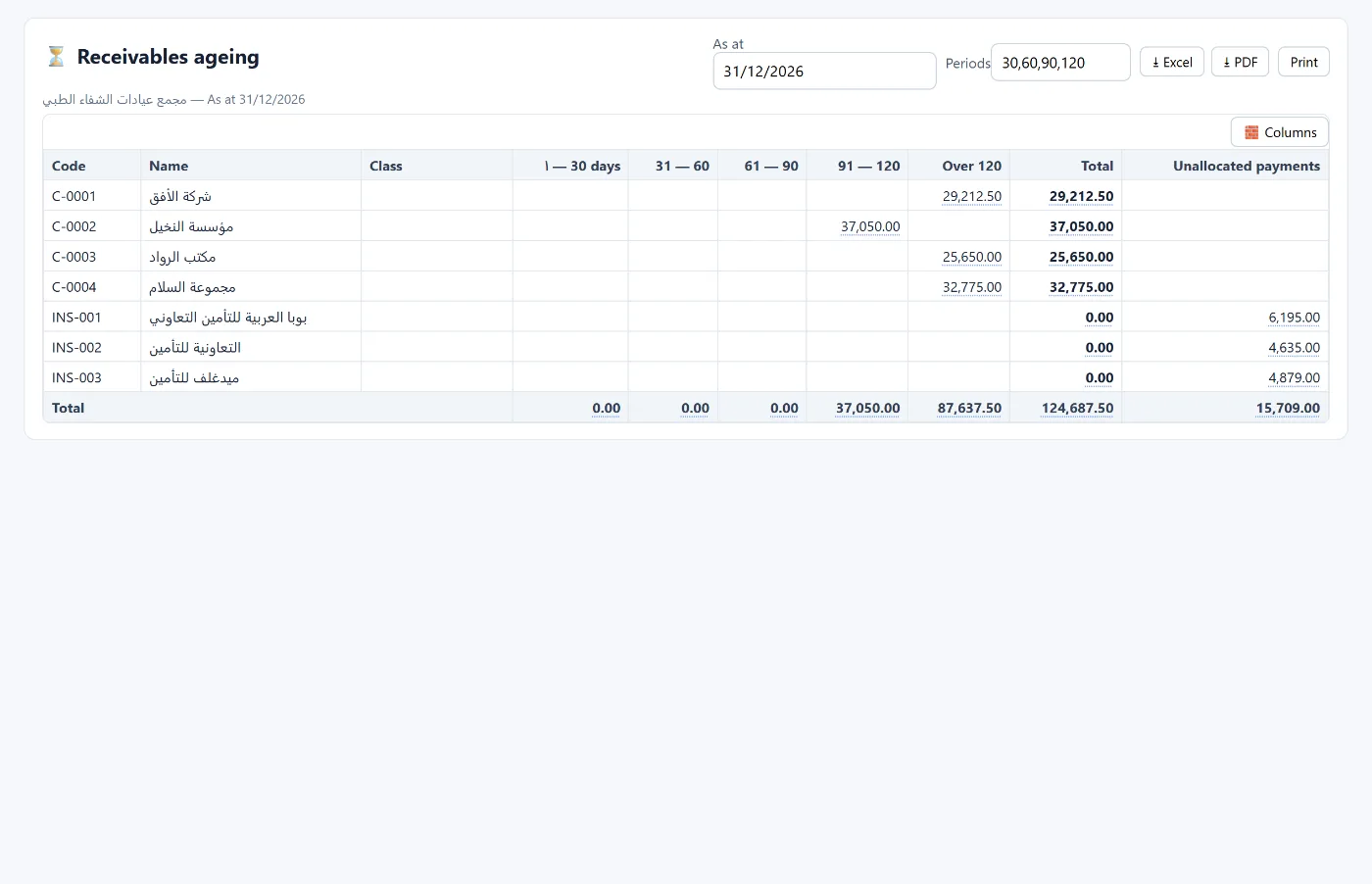
Each insurer is registered as a customer with its payment terms, so its balance appears in receivables ageing across overdue periods, and each payment is posted with an entry that settles the receivable.
Supplies and expiry dates
Every quantity of supplies or medicines received gets a batch number and an expiry date. The program warns you about what is close to expiry, and expired stock is written off with an entry that moves it out of inventory to the damaged stock account.
The rest of the program for a clinic
- Employees and payroll for doctors, nurses and admin staff, with the WPS bank file.
- Fixed assets for medical equipment and its depreciation.
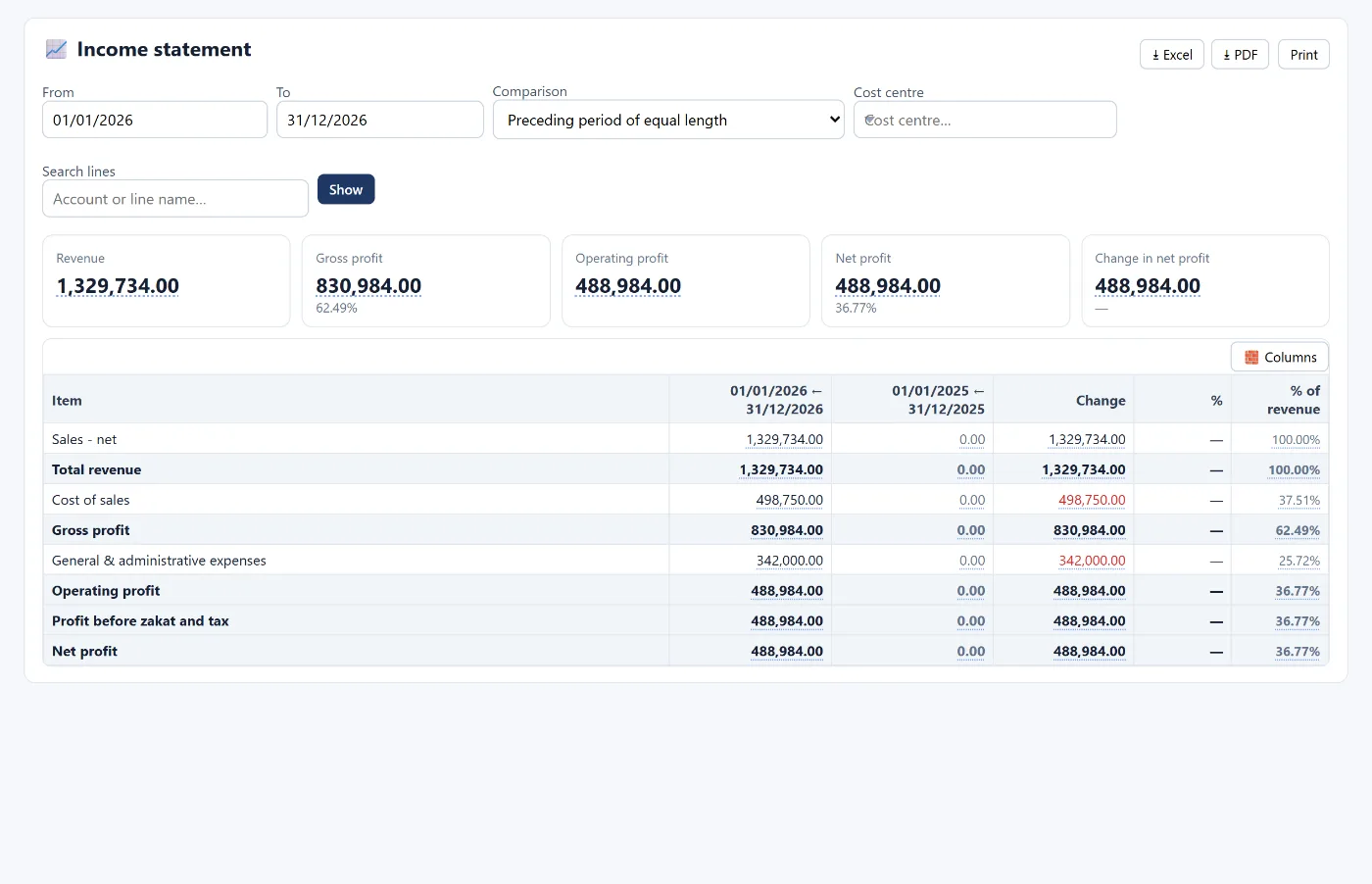
- Financial statements and KPIs at any moment.
How to start
- Create your account and choose the healthcare and clinics activity.
- Register insurance companies as customers with their payment terms.
- Set the claim accounts once, from the claims screen.
- Record the first claim with the patient and insurer shares.
Learn more about Tasaheel Accounts or read the user guide.
FAQ
How are the patient share and the insurer share recorded?
The service value is split when the claim is recorded: the patient share goes to the cash box, and the insurer share is recorded as a receivable from the insurance company.
How do I see each insurer's rejection rate?
From the rejections and claim ageing report, by value and by count, with the ageing of what is due.
Can doctors' dues be recorded with the claim?
Yes. Enter the doctor's due on the claim and it is accrued as a liability when posted.
Does it track expiry of medical supplies?
Yes, with batch numbers and expiry dates, an alert for what is close to expiry, and a write-off entry for what has expired.
Is it suitable for pharmacies?
The program has a dedicated pharmacy activity among more than 80 activities with ready templates. See also accounting software for retail shops.
Try it in Tasaheel: create a free account, choose the healthcare activity, and record your first insurance claim to see the patient and insurer shares kept apart.