 Tasaheel ERP
Fuel Station Accounting — Meters, Tanks and Fuel Loss
Accounting for fuel stations in Saudi Arabia and beyond: pump meter readings per shift, pump-to-tank reconciliation, fuel loss at cost, and the cashier.
 By Sherif Fadl — Founder, Tasaheel ERP
A fuel station sells by the litre on a thin margin, so a litre lost every shift eats a big part of the profit. The daily question is: does what the pump meter recorded match what left the tank? Tasaheel Accounts records meter readings for every shift, reconciles them with the tank drop, values the loss at cost, and posts the sales and cost entries automatically.
Fuel station problems it solves
- Loss between meter and tank is unknown, so nobody knows if it is normal evaporation or fuel taken without a sale.
- Shift sales are totalled by hand from attendants' notebooks.
- Cost of fuel sold is an estimate, so the real margin is unknown.
- A shift with a large loss only shows up weeks later.
Tanks and pumps
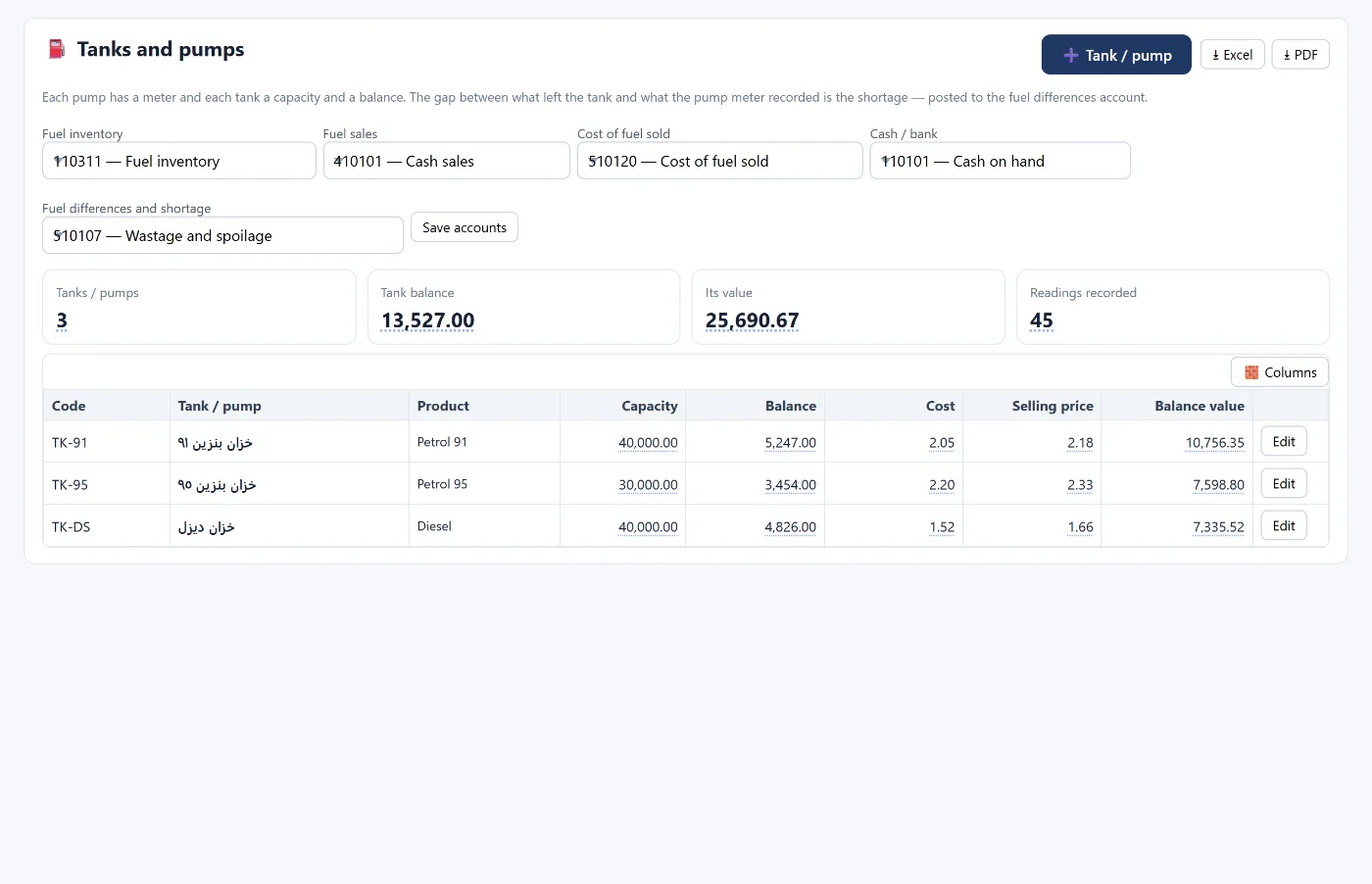
Each tank or pump has its product (91, 95, diesel…), capacity, balance, cost, selling price and balance value, with the fuel accounts set once: fuel inventory, fuel sales, cost of fuel sold, cash, and fuel shortages and differences.
Meter readings and shifts
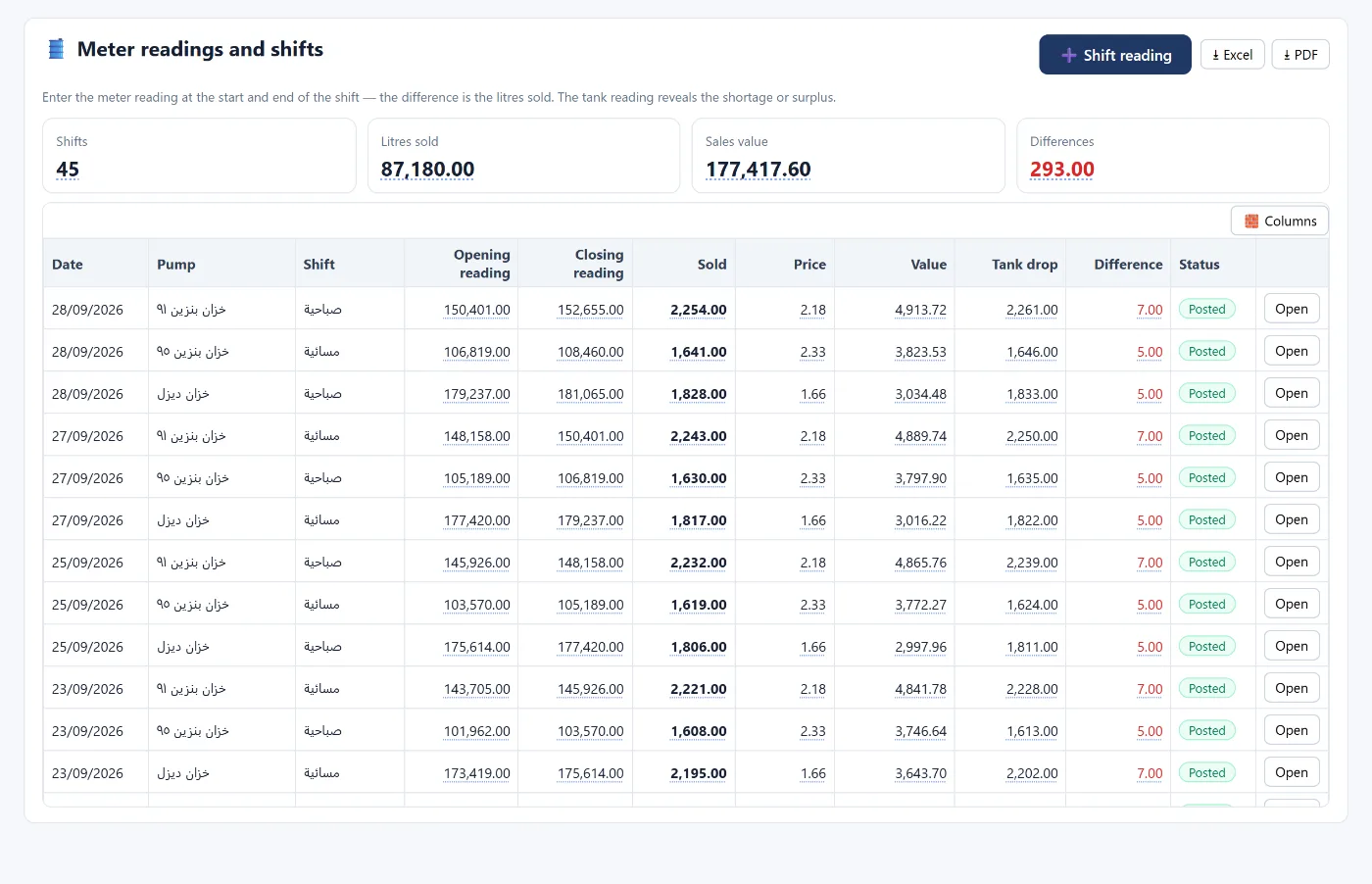
You enter the meter reading at the start and end of the shift; the difference is the sales in litres, with the price and value, and what left the tank by dip reading. On posting, the program creates the sales entry, the cost of fuel sold from the tank, and the shortage or overage entry, and reduces the tank balance.
Pump-to-tank reconciliation and fuel loss
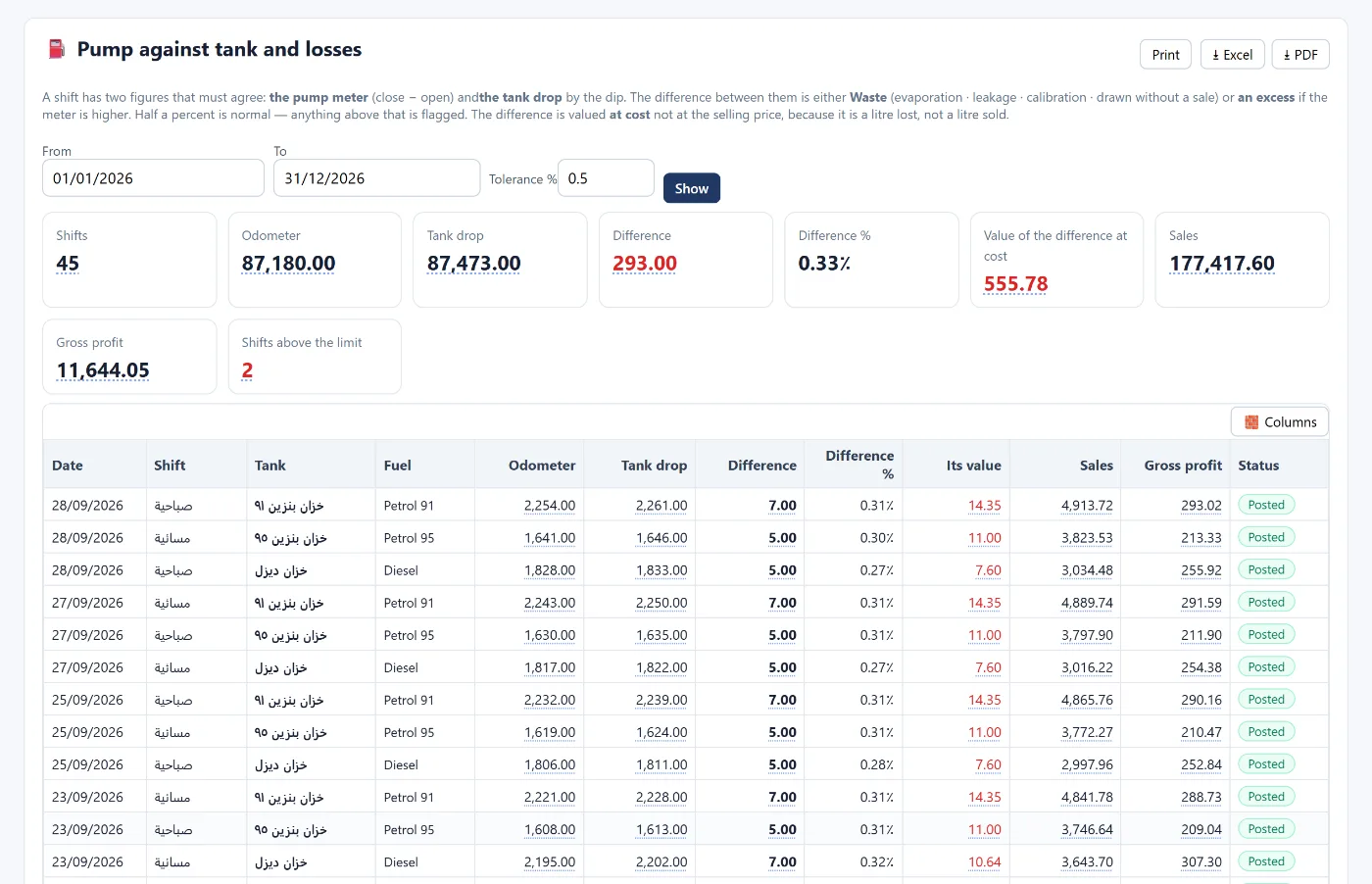
A shift has two figures that must match: the pump meter (closing − opening) and the tank drop by dip. The difference is either loss (evaporation, leakage, calibration or fuel taken without a sale) or overage if the meter is higher. Normal loss is within half a percent, and anything above that is flagged. The difference is valued at cost, not at selling price, because it is a litre lost, not a litre sold.
The screen shows for each shift: meter, tank drop, difference, its percentage and value, sales and gross profit.
Cashier and other sales
For the station's convenience store: a separate cashier with shifts and cash drawer reconciliation, several payment methods including mada, and stock with its cost. VAT on shop invoices is calculated from the entries — see how to calculate VAT and file the return.
Note: the tank balance in the program goes down automatically with every shift; when the tank is refilled from the supplier, its balance is updated from the tank card.
How to start
- Create your account and choose the fuel stations activity.
- Set the fuel accounts once, from the tanks screen.
- Add tanks and pumps with capacity, balance, cost and selling price.
- Record meter readings every shift, and review the reconciliation daily.
Learn more about Tasaheel Accounts or read the user guide.
FAQ
How are shift sales calculated?
From the two pump meter readings: closing − opening = litres sold, multiplied by the selling price.
What is normal fuel loss?
The program treats up to half a percent of the litres sold as normal, and flags shifts above that.
Why is loss valued at cost, not selling price?
Because it is a litre lost, not a litre sold, so the real loss is its cost.
Does it post the cost of fuel sold?
Yes, when the shift is posted: the sales entry, the cost of fuel sold from the tank, and any shortage or overage.
Does it suit a station with a shop?
Yes, with the cashier and stock for the shop. See accounting software for retail shops.
Try it in Tasaheel: create a free account, choose the fuel stations activity, and record your first shift's meter readings.