 Tasaheel ERP
Multi-Warehouse Inventory and Transfers Between Branches
How to manage stock across warehouses or branches: balances per location, transfer notes at the same cost, stock movements, counts per site, and common mistakes.
 By Sherif Fadl — Founder, Tasaheel ERP
When a business grows to more than one branch or warehouse, knowing an item's total quantity is not enough; you need to know where it is. A customer in Jeddah is not served by stock sitting in Riyadh. This guide explains how warehouse balances and transfers between them are managed.
A balance for every warehouse
Every stock movement belongs to a warehouse: a purchase invoice receives into a specific warehouse, and a sales invoice issues from one. So each item has a balance in each warehouse, and the total is their sum.
Transfers between warehouses
Moving a quantity from one warehouse to another does not change the accounts: the goods still belong to the business at the same cost. So a transfer is recorded with a transfer note stating:
- The sending and receiving warehouses (they cannot be the same).
- The items and quantities.
- The date and reference.
The sender's balance drops and the receiver's rises by the same quantity at the current cost, with no ledger entry.
When does a transfer affect the accounts?
If the branches are separate companies with their own books, moving goods between them is not a transfer but a sale and purchase between companies, recorded in intercompany accounts and eliminated on consolidation. Branches within the same company transfer with no accounting effect.
Counting each location
Count each warehouse separately, because a difference in one branch can disappear when balances are added together. Compare difference rates between sites: a consistently high rate at one location is a signal to follow up. See stock counts and valuation.
Common mistakes
- Selling from the wrong warehouse, so one looks short and the other over.
- Moving goods physically without a transfer note, so balances differ from the shelves.
- Recording a transfer as a sale and purchase within the same company, inflating revenue and cost.
How Tasaheel Accounts manages warehouses
- Warehouses: one per location, linked to a cost centre.
- Transfer between warehouses: a note with a sending and receiving warehouse, items and quantities, moving stock at the same cost with no accounting effect; the program refuses the same warehouse on both sides.
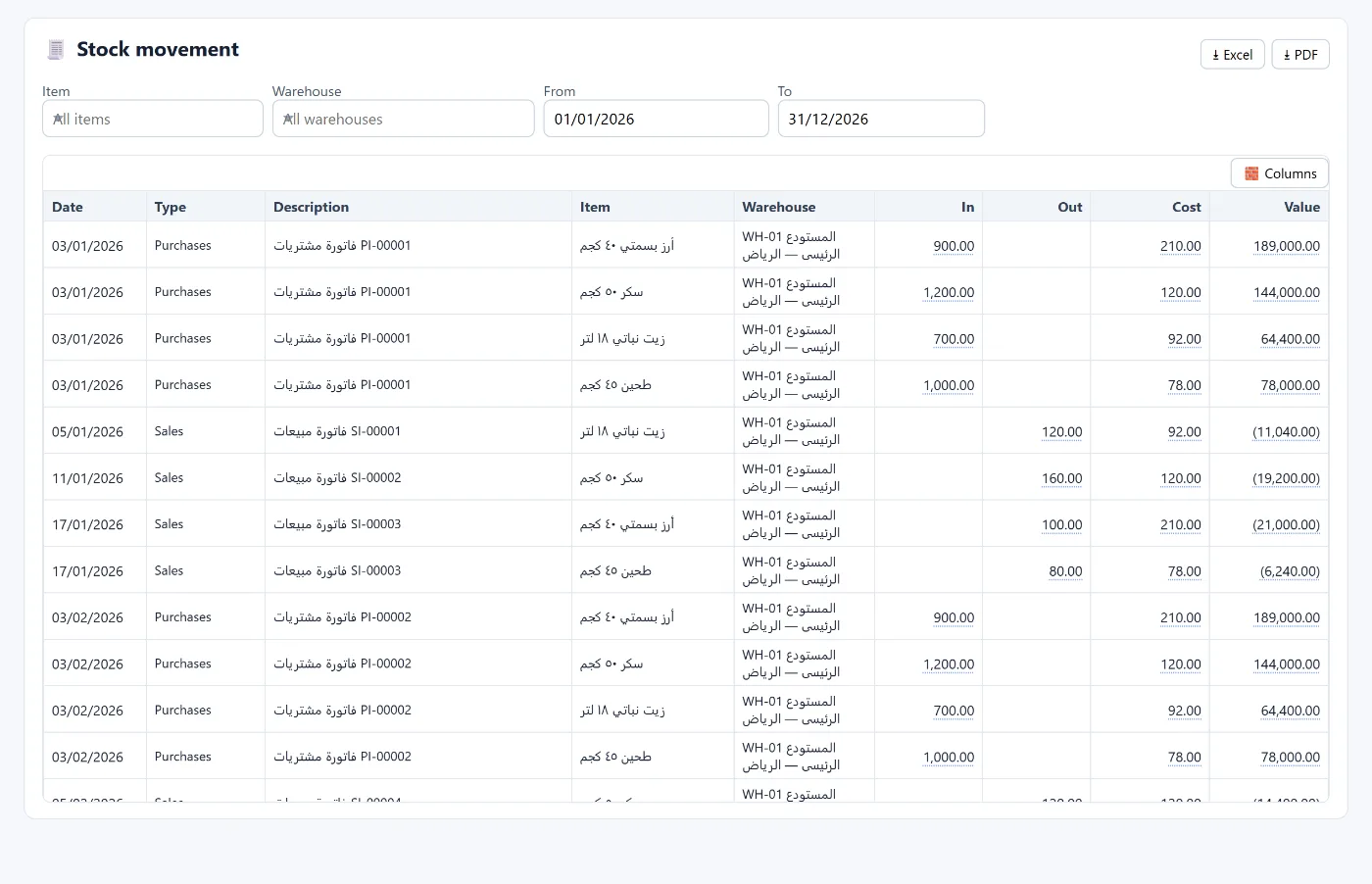
- Stock movements: every movement with its date, type (purchase, sale, transfer…), warehouse, item, in, out, cost and value, filtered by warehouse, item and period.
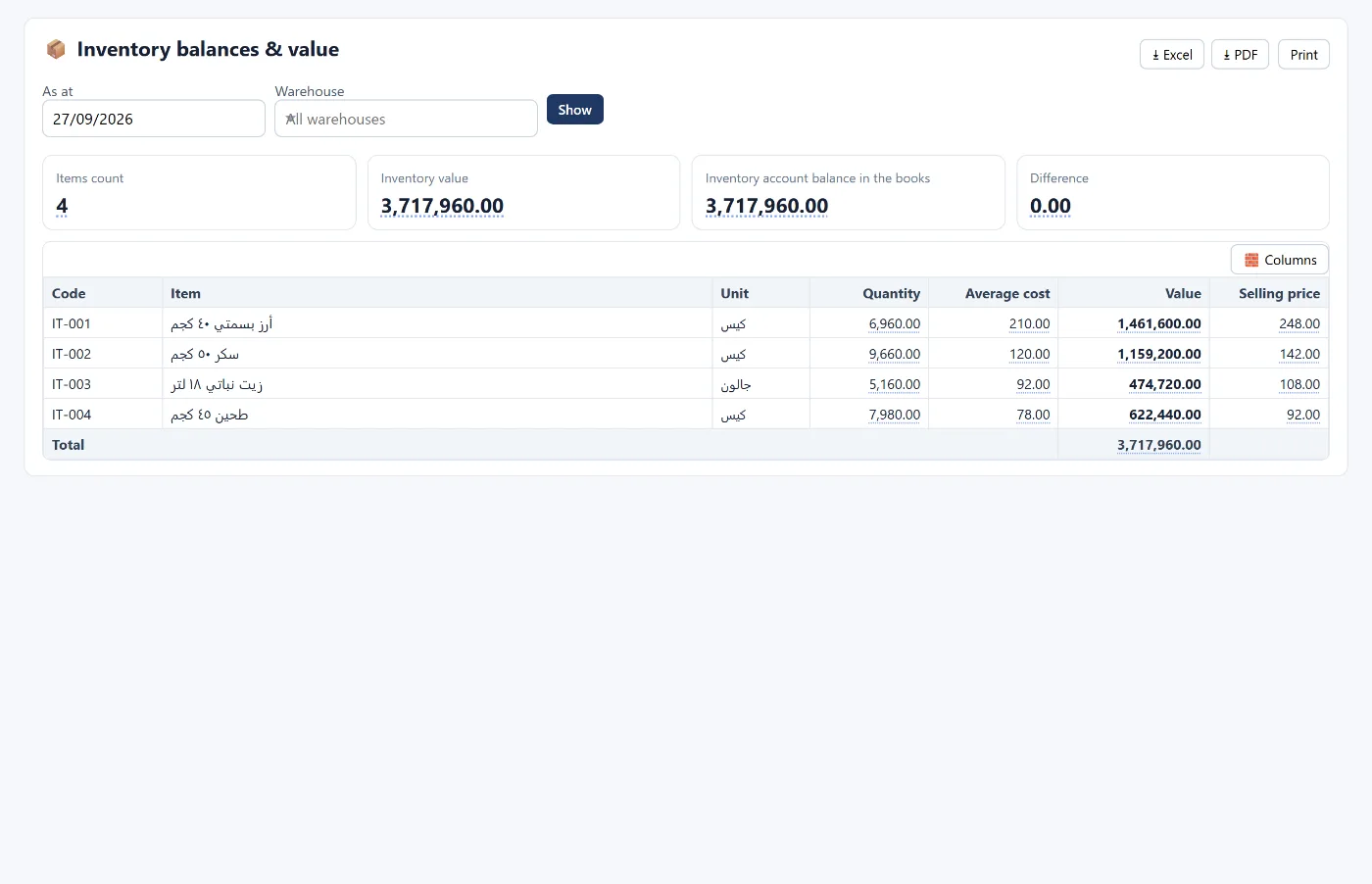
- Stock balances and value: per warehouse or across all, reconciled with the inventory account in the books.
- Purchase and sales invoices set the receiving or issuing warehouse.
FAQ
Does a transfer between warehouses have an accounting entry?
No, when the warehouses are within the same company: goods move at their cost with no effect on the accounts.
How do I see an item's balance in a particular branch?
From stock balances and value by choosing the warehouse, or from stock movements filtered by warehouse and item.
What if the branches are separate companies?
Moving goods becomes a sale and purchase between companies, recorded in intercompany accounts and eliminated on consolidation.
Can I count just one warehouse?
Yes. Counts are done per warehouse.
Read also accounting software for wholesale and distribution and accounting software for retail shops, or learn more about Tasaheel Accounts.
Try it in Tasaheel: create a free account, add two warehouses, and record your first transfer note.