 Tasaheel ERP
Users, Permissions and Segregation of Duties in Accounting
How to assign permissions in your accounting system: roles and duties, validity periods, segregation of duties and its conflicts, and field-level audit trail.
 By Sherif Fadl — Founder, Tasaheel ERP
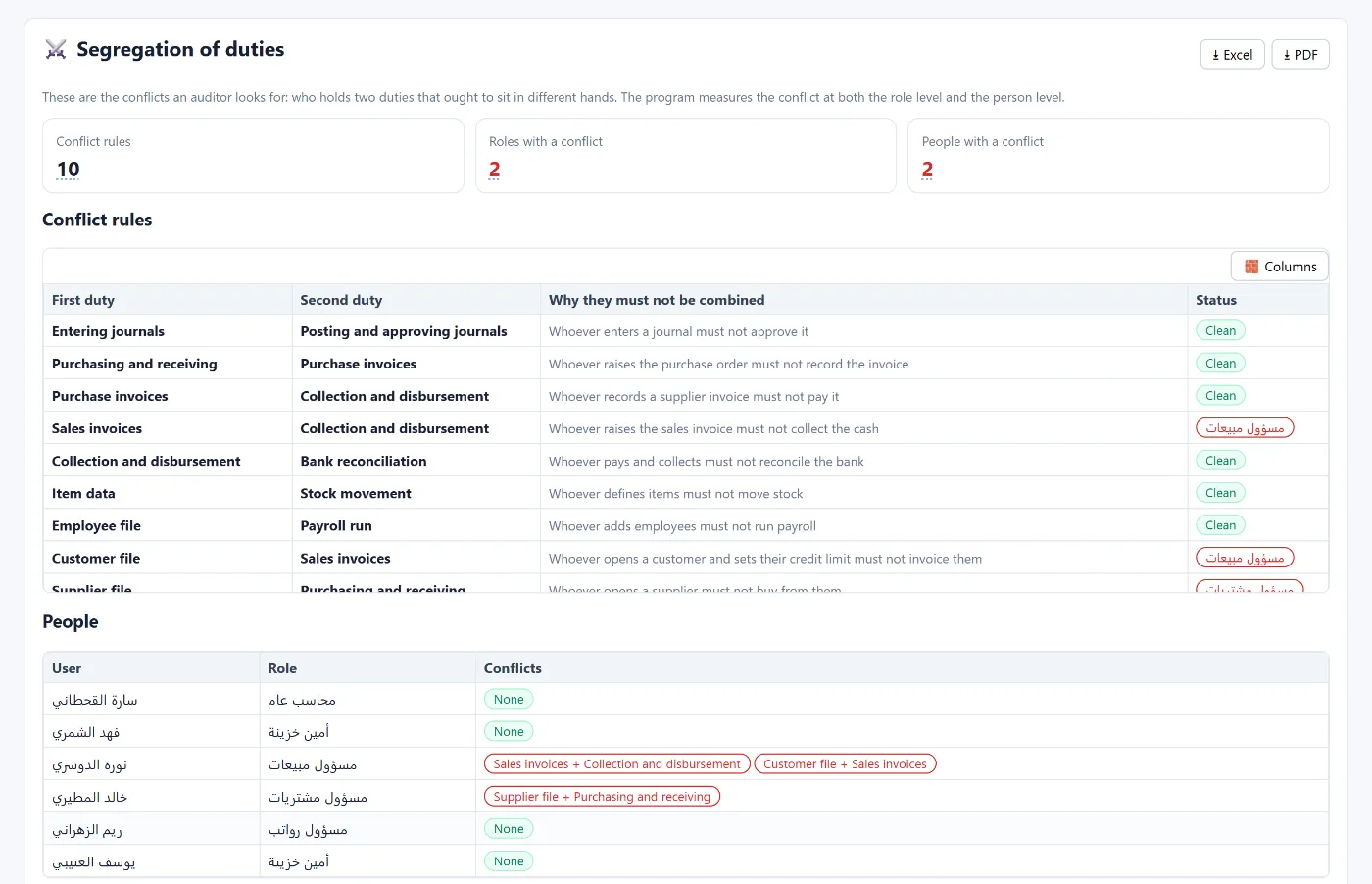
In a small business one person does everything, which is fine at the start. As the team grows the questions become: who records? Who approves? Who pays? If one person holds two conflicting tasks, error — or fraud — becomes easy and hard to detect. This guide explains how to design permissions in a practical way.
Permissions belong to roles, not people
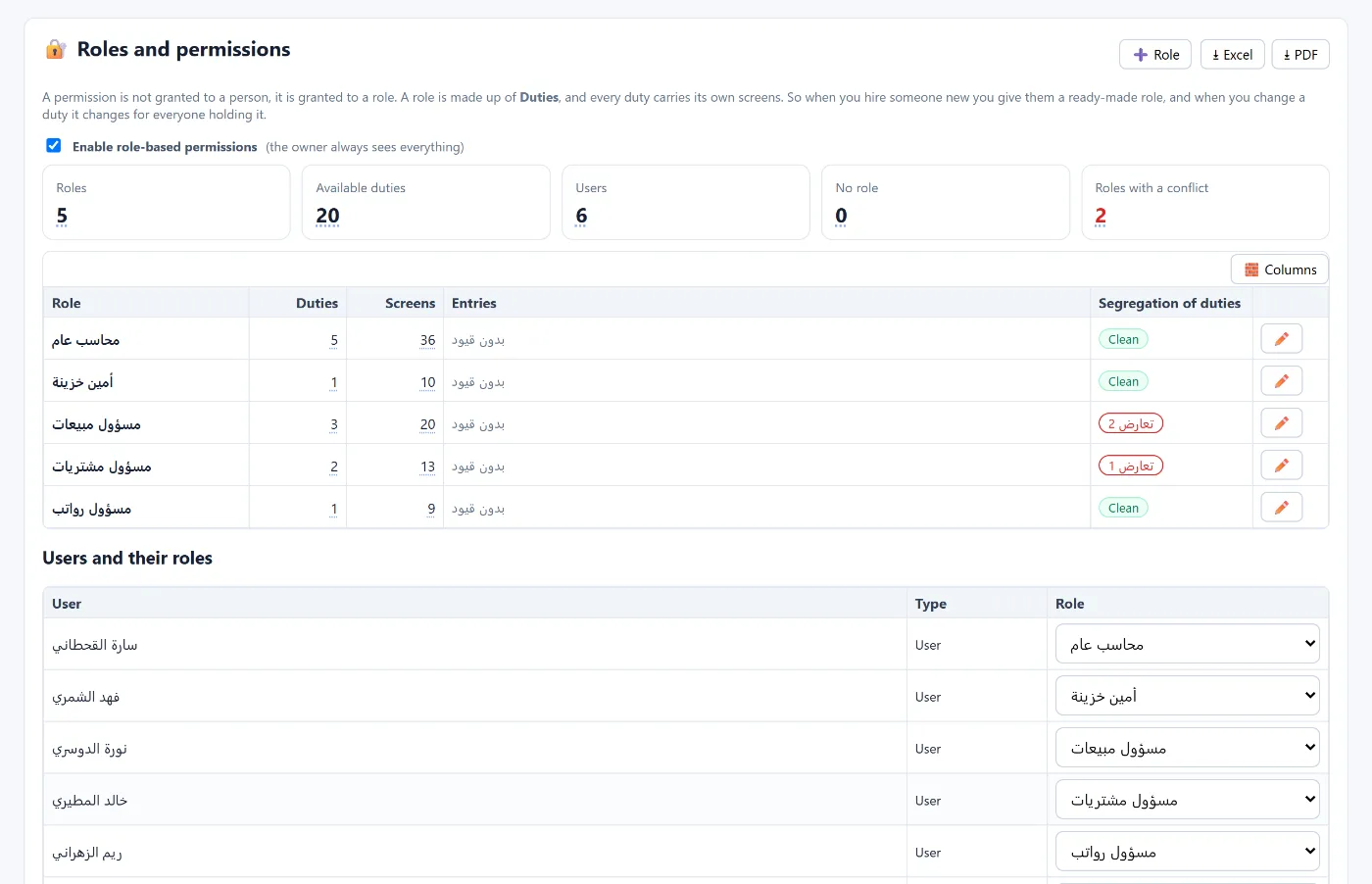
Instead of setting each employee's screens one by one, define roles (general accountant, cashier, sales officer…), give each role duties (entering journal entries, collections and payments, sales invoices…), and each duty its screens. A new hire gets a ready role, and changing a duty changes it for everyone with that role.
Segregation of duties
The rule: tasks that check each other must sit with different people. Examples of conflicts auditors look for:
- Whoever enters an entry does not approve it.
- Whoever raises the purchase order does not record the supplier invoice.
- Whoever records the supplier invoice does not pay it.
- Whoever issues the sales invoice does not collect it.
- Whoever pays and collects does not reconcile the bank.
- Whoever adds employees does not run payroll.
- Whoever opens the customer file and sets the credit limit does not invoice them.
- Whoever grants permissions does not post entries.
In a small business that cannot fully segregate, periodic review by the owner or manager compensates.
Validity periods
Each user has a period (from · to) outside which they cannot enter or edit an entry. A temporary employee or one whose contract has ended cannot change periods that are not theirs, and nobody can tamper with a prior year.
Audit trail
Every change to any record should be logged: who changed what, from which value to which, and when. It protects the business and the employee, and shortens the auditor's questions.
How Tasaheel Accounts manages permissions
- Users: each user has a company, a validity period (from · to) and a contact (email or mobile) for password resets, with a reset password button. The owner sees all companies with no date limit.
- Roles and permissions: roles built from ready duties (20 duties), each duty with its screens, with role-based permissions switched on and each user linked to a role.
- Segregation of duties: ready conflict rules with the reason for each, and conflicts measured at role level and at person level.
- Audit trail: every change at field level: who changed what, from what to what, and when.
- Sensitive tools for the manager only: such as repair tools and merging duplicate customers.
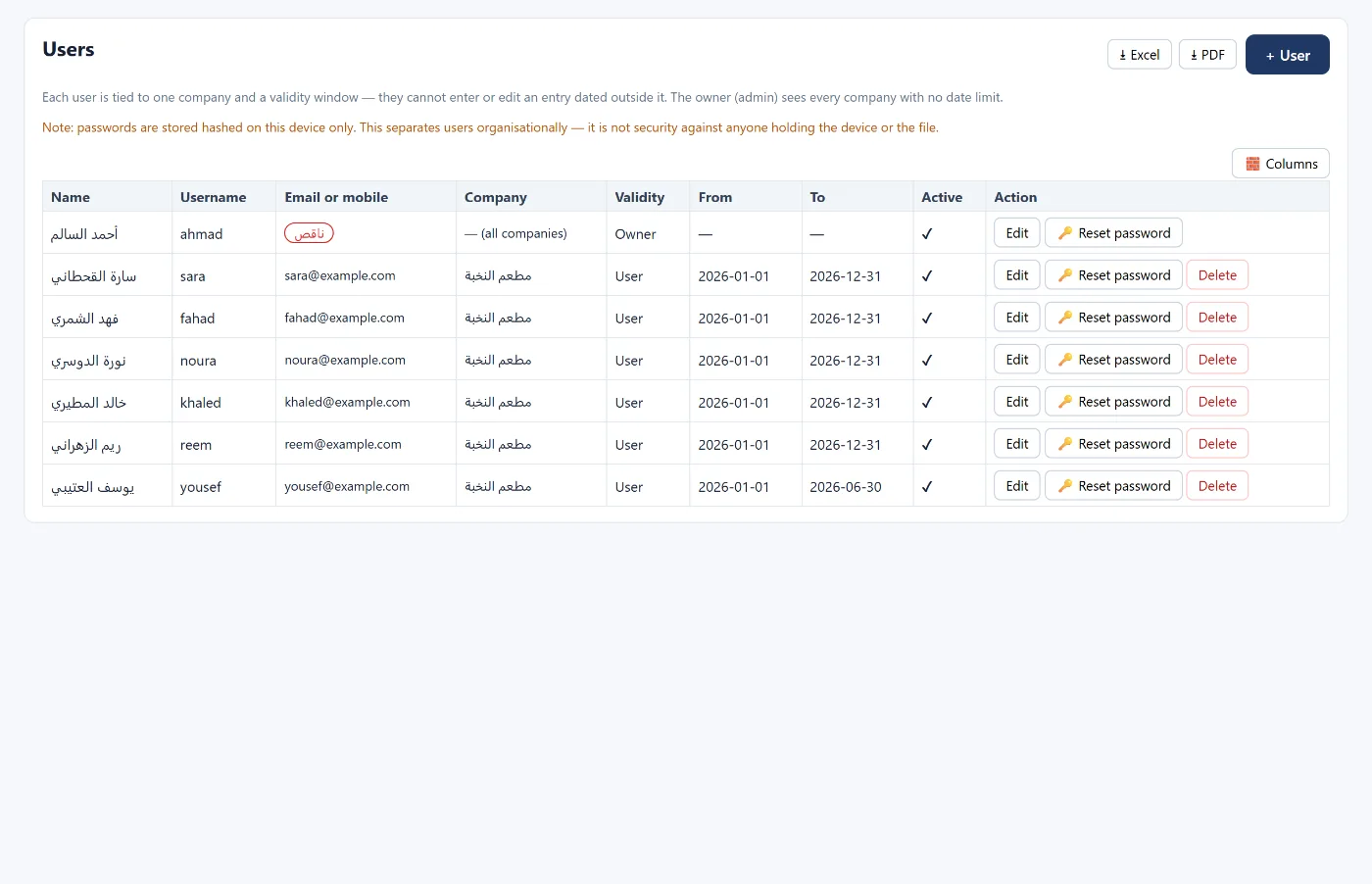
Passwords are stored on the device as a fingerprint (PBKDF2), not as the password itself. If server storage is on, the fingerprint is uploaded with the company’s data so that signing in from another device works. This is organisational protection to separate users — not security against someone who owns the device or the data file. Protect the device itself with a password.
FAQ
How many roles do I need?
Start with a few that reflect reality (accountant, cashier, sales, purchasing, payroll) and add as needed.
What if my team is very small?
Accept some conflicts, but compensate with periodic owner review of the audit trail and reports.
Can a user change a prior year?
Not if it is outside their validity period, nor if the period is closed.
How do I find who changed a figure?
From the audit trail: every change is logged at field level with the user, time, and old and new values.
Read also software for audit firms and year-end close, or learn more about Tasaheel Accounts.
Try it in Tasaheel: create a free account, define your first two roles, and open segregation of duties to see the conflicts.