 Tasaheel ERP
The Purchase Cycle: Requests, Orders, Receipts and Matching
The purchase cycle step by step: purchase requests and orders, goods receipts and GRNI, three-way matching, supplier invoices, returns, landed cost.
 By Sherif Fadl — Founder, Tasaheel ERP
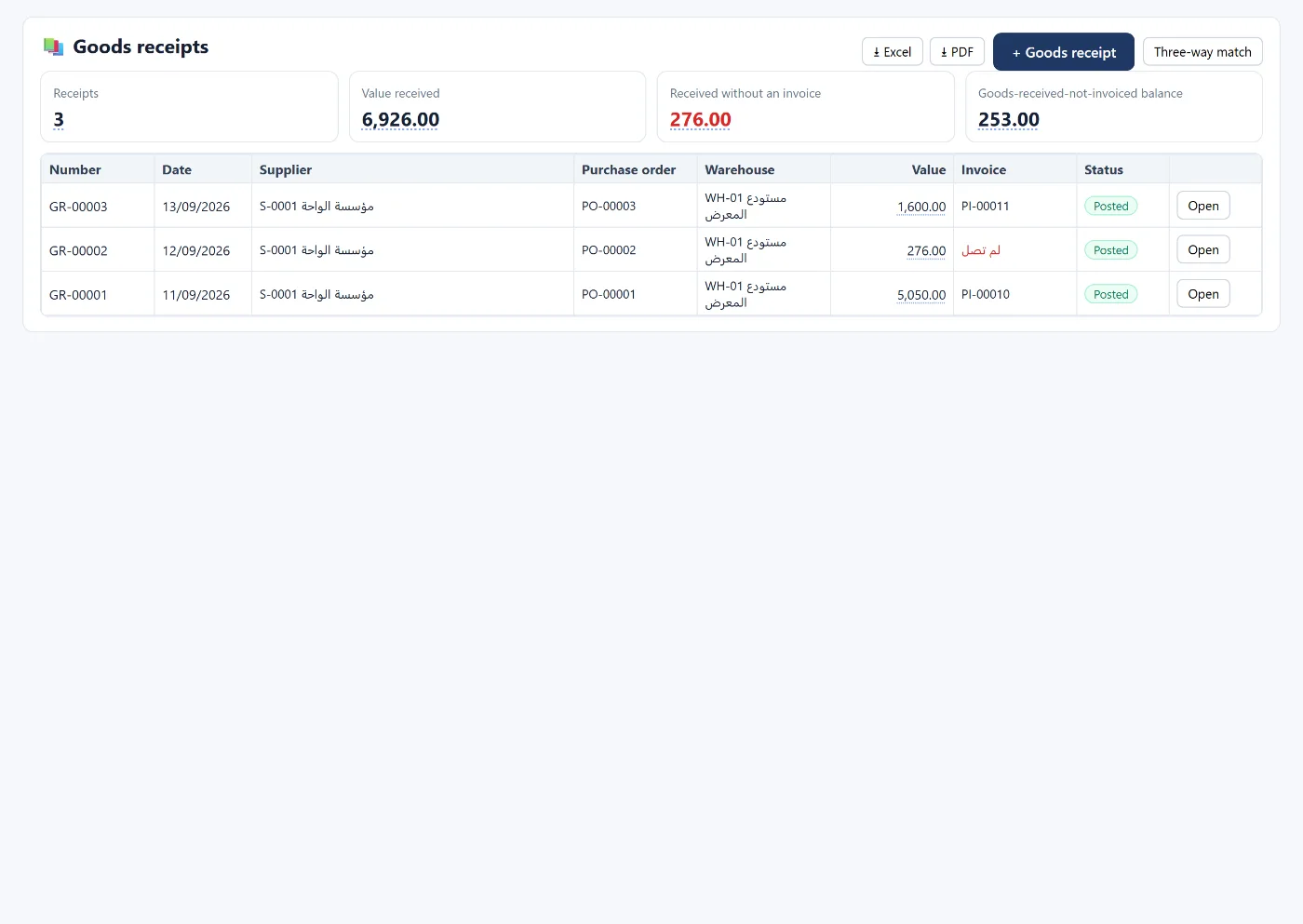
Purchasing without a clear cycle means goods arriving without an order, invoices paid without a receipt, and price differences nobody notices. This guide explains the full cycle from request to invoice, and the entry at each step.
1. Purchase request and purchase order
The request starts with items, quantities and expected prices, is approved, then converted into a purchase order for the supplier, and later into an invoice. Each document has a status: draft, approved, converted or cancelled, and only an approved one can be converted.
Requests and orders post no entry; they are a commercial commitment, not an accounting one.
2. Goods receipt
When goods arrive before the invoice, a goods receipt is recorded with the supplier, the purchase order (optional) and the warehouse. Choosing the order fills in the quantities still outstanding, so you can receive in instalments.
The entry:
- Debit inventory
- Credit goods received not invoiced
Stock rises at once, and the clearing account stays open until the supplier's invoice arrives.
3. The supplier invoice
Created from the goods receipt or on its own, with a due date, the supplier's invoice number, the warehouse and cost centre. The entry:
- Debit inventory or expense (or goods received not invoiced if it came from a receipt)
- Debit input VAT
- Credit the supplier
Input VAT is either deductible, or non-deductible and added to cost.
4. Three-way matching
Before paying, compare: purchase order → goods receipt → supplier invoice. Any quantity or price difference shows up here: not received, matched, invoice difference, or invoice not yet received.
5. Purchase returns
Linked to the original invoice, never above what is still returnable on it, reversing its entry.
6. Landed cost
Freight, customs, clearance and insurance are part of the cost of imported goods (IAS 2). The shipment is linked to goods receipts or purchase invoices, and the costs are allocated to items by value or by quantity, raising the actual cost of stock:
- Debit inventory
- Credit the account each cost was paid from
How Tasaheel Accounts manages purchasing
- Purchase requests and orders with approval and one-click conversion, and a quotes and orders list with the conversion rate.
- Goods receipts and a receipts list with the "received not invoiced" balance.
- Three-way matching with quantity and price differences per item.
- Purchase invoices and purchase returns with paid and outstanding amounts.
- Shipments and landed cost with the loading percentage and the items affected.
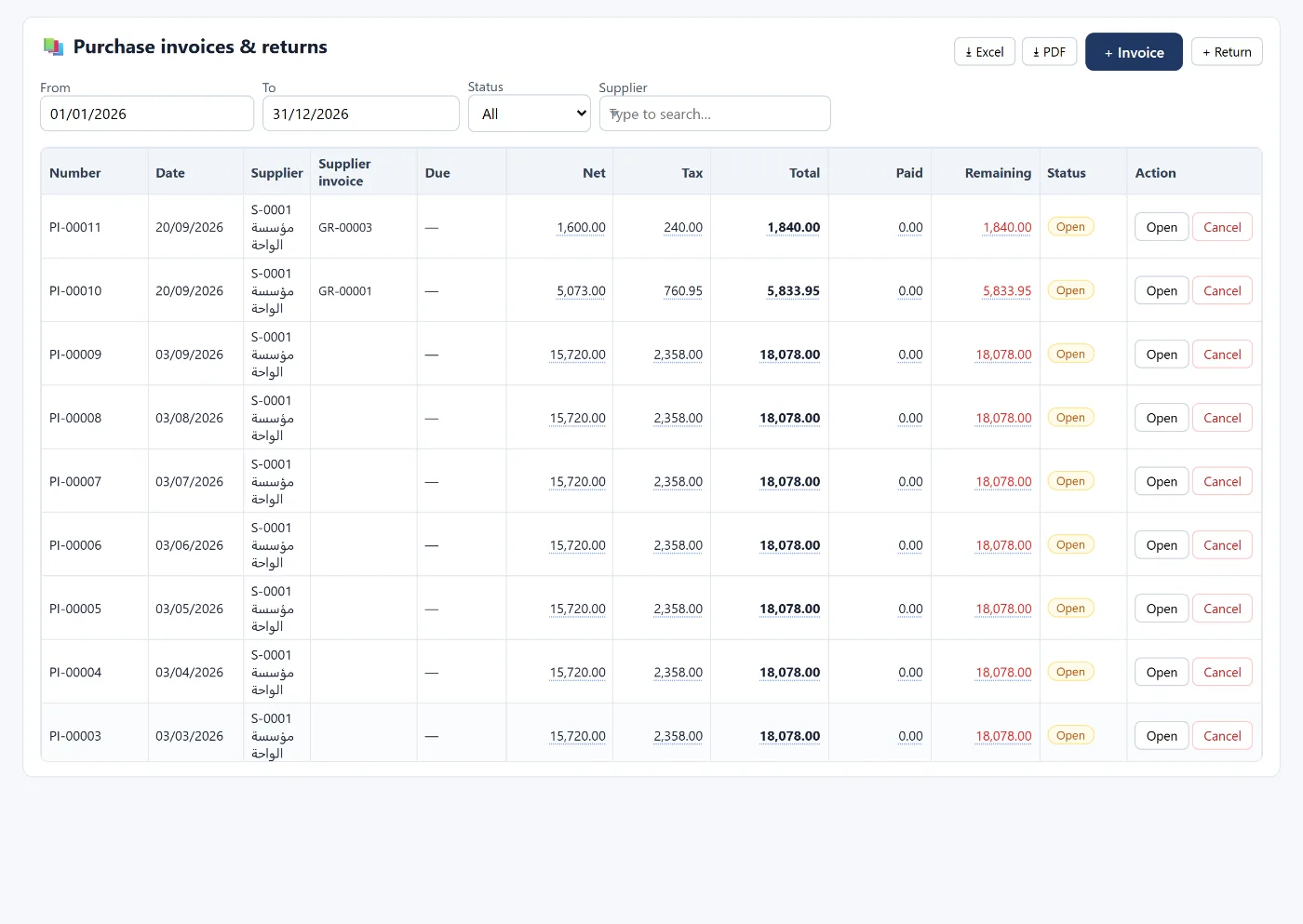
Read also multi-warehouse inventory and the VAT return, or learn more about Tasaheel Accounts.
FAQ
Does a purchase order post an entry?
No. Entries start at the goods receipt or the supplier invoice.
What if goods arrive before the invoice?
Record a goods receipt: stock rises against "goods received not invoiced", and the account clears when the invoice is linked to the receipt.
Can I receive in instalments?
Yes. Each goods receipt fills in what is still outstanding on the purchase order.
How are freight and customs added to cost?
With a landed cost shipment that allocates them to items by value or by quantity.
Try it in Tasaheel: create a free account, raise a purchase order, receive it with a goods receipt, then link the supplier's invoice.