 Tasaheel ERP
Customer Deposits in Accounting: A Liability, Not Revenue
How to record a customer deposit: on receipt, when deducted from the invoice and when refunded, when it becomes revenue, and its VAT angle, with examples and entries.
 By Sherif Fadl — Founder, Tasaheel ERP
Many restaurants, shops and service providers take a deposit to confirm a booking or an order. The most common mistake is to record the deposit as revenue on the day it is received, which inflates that month's revenue and loses track of the deposit when it is later deducted from the invoice or refunded. This guide explains the right treatment with entries and examples.
A deposit is not revenue when received
When the deposit is received you have not delivered the goods or service yet, so you are obliged either to deliver or to refund. The deposit is therefore recorded as a liability (customer deposits or advances from customers), and becomes revenue only when the goods or service are delivered.
Entries with examples
1. Receiving the deposit: a customer pays SAR 1,000 to book an event.
- Debit cash 1,000
- Credit customer deposits (liability) 1,000
2. Delivering and deducting the deposit from the invoice: the event invoice is SAR 4,000 before VAT + 600 VAT = SAR 4,600; the deposit is deducted and the customer pays the remaining SAR 3,600.
- Debit customer deposits 1,000
- Debit cash 3,600
- Credit revenue 4,000
- Credit output VAT 600
3. Booking cancelled and deposit refunded:
- Debit customer deposits 1,000
- Credit cash 1,000
4. Booking cancelled and deposit kept (where the terms allow it): the deposit becomes other income.
- Debit customer deposits 1,000
- Credit other income 1,000
Deposits and VAT
VAT may apply to an advance payment when it is received, depending on the nature and terms of the supply, and the VAT law and its regulations cover the detailed cases. Check the ZATCA website or your tax adviser for the right treatment in your case, and make sure your accounting system can track a deposit from receipt to deduction.
Following up open deposits
An old deposit never used needs follow-up: deduct it from an invoice, refund it, or review it with the customer. Tracking deposits by the payer's mobile number and name makes them easy to find at the till, and ageing of open deposits shows what is overdue.
How Tasaheel Accounts manages deposits
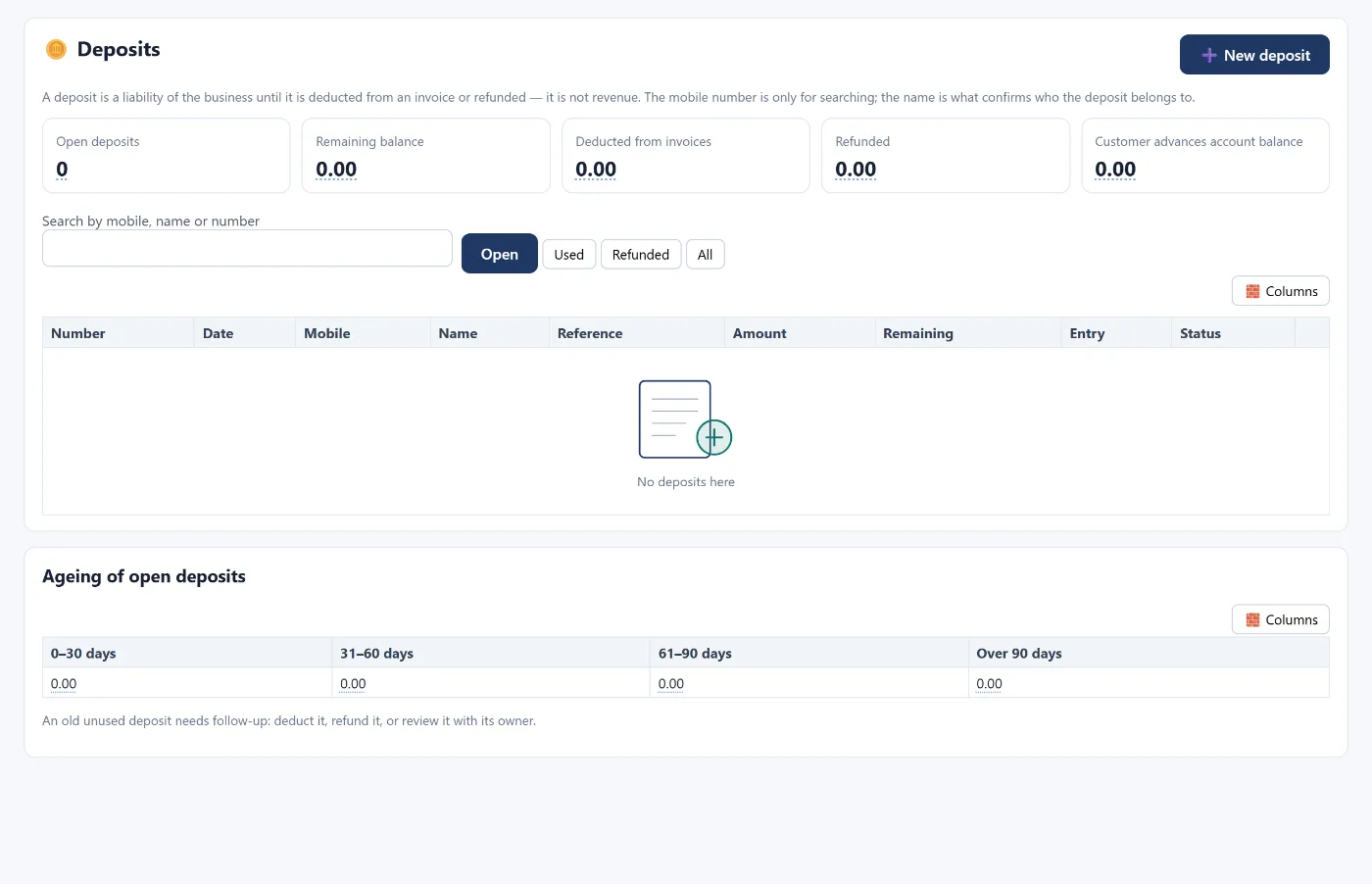
- The deposits screen: a new deposit with the payer's mobile number, name, amount and reference, recorded as a liability of the business until deducted from an invoice or refunded — not as revenue.
- At the till: a deposit discount appears above the payment methods so it can be deducted from any later invoice.
- Tabs: open, used, refunded and all, with search by mobile, name or number.
- Ageing of open deposits: 0–30, 31–60, 61–90 and over 90 days.
- The shift counts only the deposits collected by its own cashier.
FAQ
Is a deposit revenue?
Not when received. It is a liability of the business until the goods or service are delivered and it is deducted from the invoice, or until it is refunded.
Which account is a deposit recorded in?
A current liability account such as customer deposits or advances from customers.
What do I do with a deposit whose owner never came back?
Follow it up from deposit ageing, and depending on the booking terms either refund it or move it to income with a clear entry.
Is VAT due on a deposit?
VAT may apply to an advance payment depending on the case; check with ZATCA or your tax adviser.
Read also restaurant POS and accounting software for restaurants, or learn more about Tasaheel Accounts.
Try it in Tasaheel: create a free account, record your first deposit, then deduct it from an invoice at the till.