 Tasaheel ERP
Bank Reconciliation: Matching Your Statement to Your Books
A practical guide to bank reconciliation: why the bank balance differs from the books, outstanding cheques, deposits in transit, fees, a worked example.
 By Sherif Fadl — Founder, Tasaheel ERP
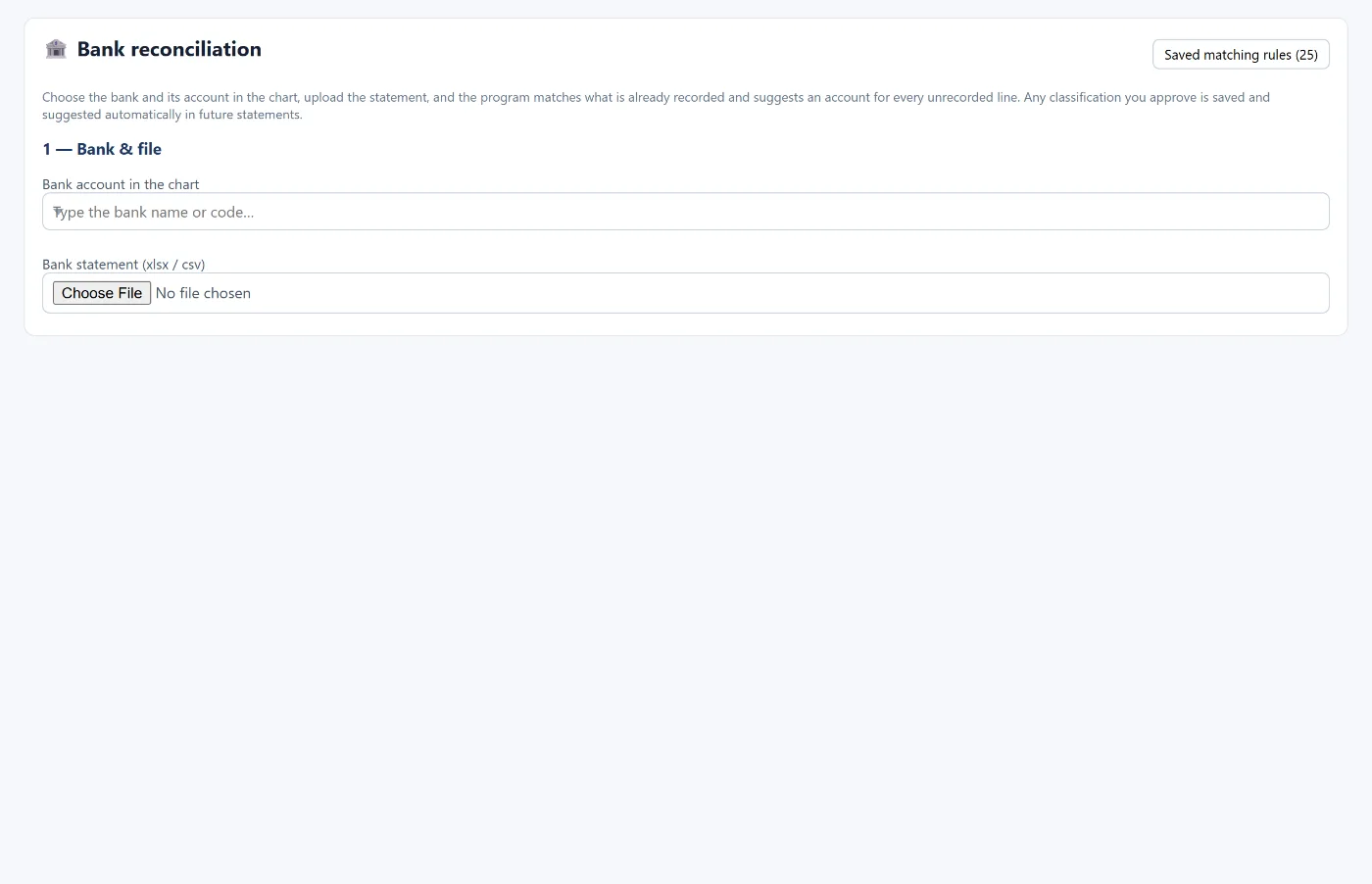
The balance on your bank statement rarely equals the bank balance in your books on the same day. Bank reconciliation means explaining that difference item by item until nothing is left, and correcting the books where needed. This guide explains the usual reasons for the difference, a worked example, the entries required, and how Tasaheel Accounts shortens the job.
Why does the bank balance differ from the books?
Differences come in two kinds: items in your books the bank has not recorded yet, and items at the bank you have not recorded yet.
In your books but not on the statement:
- Outstanding cheques: written to a supplier but not cashed yet.
- Deposits in transit: deposited on the last day and not on this month's statement.
On the statement but not in your books:
- Bank charges and fees deducted by the bank.
- Incoming transfers from customers not recorded.
- Direct debits such as instalments or standing orders.
- Interest or returns added by the bank.
Sometimes the difference is an error: a wrong amount in an entry, or a transaction recorded twice.
A worked example
At month end: the bank balance in the books is SAR 85,400 and the statement shows SAR 92,150. Matching finds:
- A supplier cheque not cashed yet: SAR 12,000.
- A deposit on the last day not shown: SAR 4,500.
- Bank charges on the statement not recorded: SAR 250.
- A customer transfer not recorded: SAR 3,600.
- Adjusted statement balance: 92,150 − 12,000 + 4,500 = SAR 84,650.
- Adjusted book balance: 85,400 − 250 + 3,600 = SAR 88,750.
The two figures are not equal, so an item worth SAR 4,100 is still missing. The search shows a supplier payment of SAR 4,100 debited by the bank but never recorded in the books. Once it is recorded, the adjusted book balance becomes SAR 84,650 and matches the statement.
Reconciling entries
Items on the statement but not in your books need an entry:
- Bank charges: debit bank charges expense, credit the bank.
- Incoming customer transfer: debit the bank, credit the customer.
- Direct payment to a supplier: debit the supplier, credit the bank.
Items in your books but not on the statement (outstanding cheques and deposits in transit) need no entry; they stay open until they appear on next month's statement. If a cheque stays outstanding for months, look into it: it may have been cancelled or lost.
Practical steps
- Download the statement from the bank as Excel or CSV, or MT940 or CAMT.053 if your bank offers them.
- Match each statement line with a book entry by amount, date and reference.
- Post entries for what is on the statement but not in the books.
- List what is in the books but not on the statement.
- Check that the two adjusted balances are equal.
- Keep the reconciliation sheet with its documents for the auditor.
Repeat weekly if the bank is busy; a weekly reconciliation is far quicker than chasing a whole month. It is one of the first items of the month-end close.
How Tasaheel Accounts shortens it
- Bank reconciliation: choose the bank account in the chart, upload the statement (xlsx or csv), set the sheet, the header row and the amount format (two columns for debit and credit, or one signed column), then read and match. The program matches what is already recorded, suggests an account for every unrecorded line, and you post its entry from the same screen.
- Classification rules that learn: any classification you approve is saved and suggested automatically on future statements, and the program starts with ready rules for common transactions.
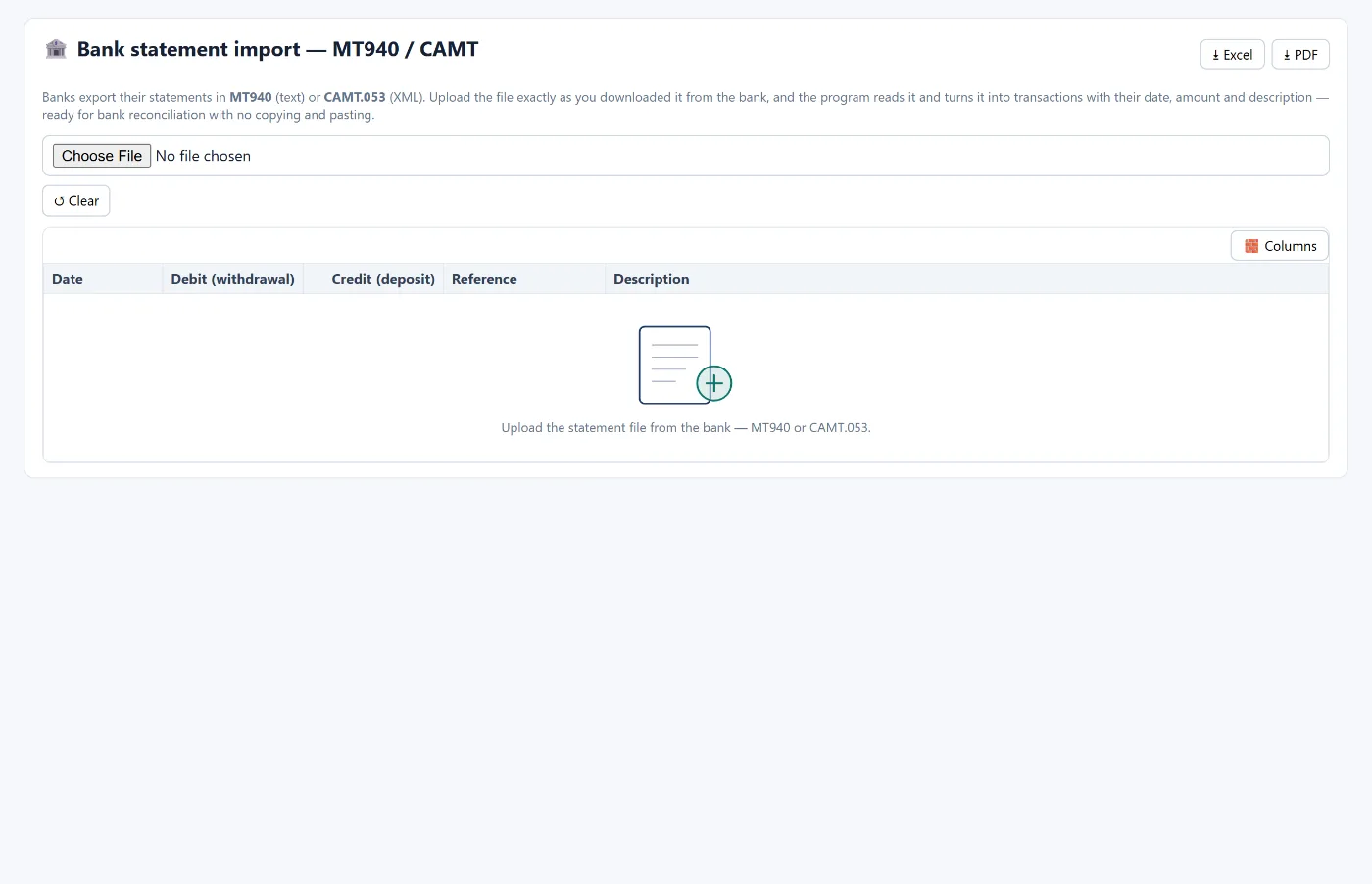
- MT940 and CAMT.053: upload the bank file as downloaded, and the program reads it into transactions with date, amount and description — no copy and paste.
- Account reconciliation: a reconciliation sheet for the bank account and others: book balance, balance supported by a document, the difference and its explanation, and sign-off.
FAQ
How often should I reconcile the bank?
At least monthly as part of the close, and weekly if there are many transactions.
Does an outstanding cheque need an entry?
No. It is already in your books and is waiting to appear on the statement. Look into it if it stays outstanding too long.
What do I do with bank charges?
Post an entry: debit bank charges expense, credit the bank, dated when the bank deducted them.
Can the program read the bank statement directly?
Yes, from an Excel or CSV file, or from an MT940 or CAMT.053 file as the bank provides it.
What if a difference remains after all items?
Look for an amount error (especially transposed digits), a transaction recorded twice, or a statement line left unmatched. In Tasaheel, trace numbers takes you to every entry on the account.
Read also month-end close and how to calculate VAT and file the return, or learn more about Tasaheel Accounts.
Try it in Tasaheel: create a free account, upload one month's bank statement, and let the program match it and suggest accounts.