 Tasaheel ERP
Backing Up Accounting Data: The Server and Your Own Copy
How Tasaheel keeps your business's accounting data: on the server with periodic backups, a full export whenever you want, and access from any device.
 By Sherif Fadl — Founder, Tasaheel ERP
A business's books are its financial memory: invoices, vouchers, customer and supplier balances and years of activity. Losing them to a failed device, a cleared browser or a stolen laptop can cost more than any operating loss. This guide explains how to build a simple, reliable backup routine.
The 3–2–1 rule
A well-known data protection rule:
- 3 copies of your data (the original + two copies).
- On at least two different media (your device + a cloud service or external drive).
- One copy off-site (outside your office or device).
The key is to make copies automatic as far as possible, because manual backups get forgotten exactly when they are needed most.
Where is Tasaheel data saved?
- On the Tasaheel server — the master copy: every save goes to the server first, encrypted, on our server in Finland, and you open your company from any device with your account.
- Periodic backups on the server: the last 3 copies, one for each day of the last 7 days, and one for each week of the last 5 weeks.
- Your own copy whenever you want: export a full copy of the company and keep it wherever you choose.
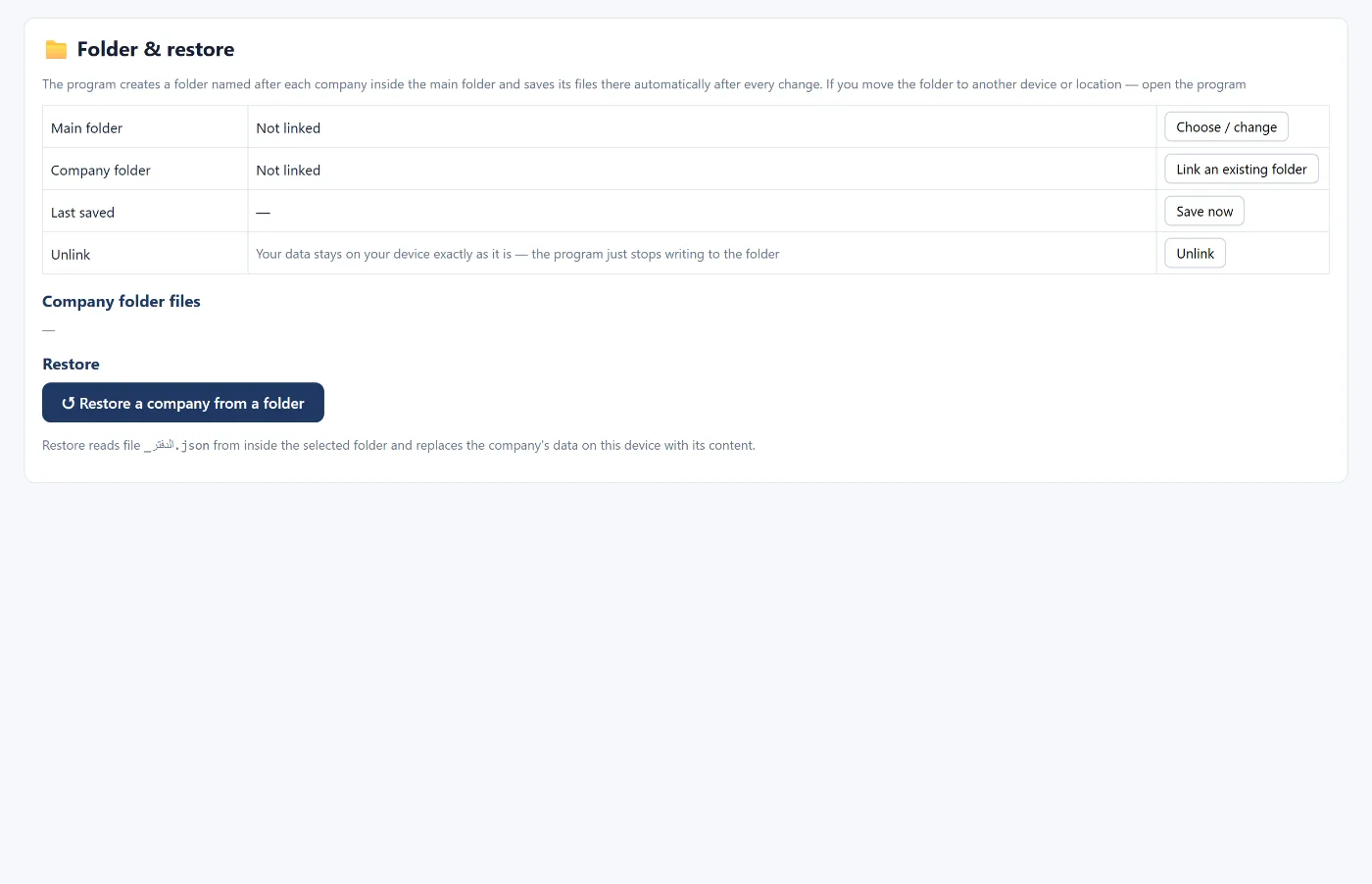
You can also link a folder where the program automatically saves a copy of the company's files (in Chrome and Edge). Put it inside Dropbox or OneDrive and you have an extra copy off the device. This is optional; your data is on the server either way.
Opening on a new device
If your device fails or you move to another: open Tasaheel Accounts on the new device and sign in with your account, and your company appears as it was.
If you need a copy you exported yourself: import a copy creates a new company from it next to your companies (without users), and restore a company from a folder reads the ledger file from the folder together with its users.
Common mistakes
- Keeping the exported copy only on the same device: it does not protect you if the device is lost; keep it somewhere else.
- Never testing a restore: import a copy you exported once to be sure it works.
- Sharing the folder or the copy with many people: it holds the company's complete books, so limit who can reach it.
- Clearing the browser data on a cashier device while sales are waiting to upload: wait until the connection is back and the sales are uploaded.
How Tasaheel Accounts helps
- Saving to the server with every save, and periodic backups there.
- Backup: export the current company as a complete file, and import a copy to create a company from it.
- Folder and restore (optional): choose or change the main folder, link an existing folder, save now, unlink, and restore a company from a folder.
FAQ
Is my data on the Tasaheel server?
Yes. It is stored encrypted on our server in Finland, reachable from any device with your account, and you may ask for it to be deleted permanently at any time. Details are in the privacy policy.
What happens if I clear my browser data?
Your data is not lost; sign in again and your company comes back from the server. The exception is cashier sales not yet uploaded on that device.
Does saving to a folder work in every browser?
It needs Chrome or Edge. In other browsers, saving to the server and exporting a copy manually is enough.
How often should I take a full backup?
The program keeps periodic backups on the server. A weekly backup (encrypted, restored in the program), or one before any big change such as the year-end close, is enough.
Read also the Tasaheel Accounts FAQ and year-end close, or learn more about Tasaheel Accounts.
Try it in Tasaheel: create a free account, then export a copy from Backup and keep it wherever you choose.