 Tasaheel ERP
Cost Centres: Profit by Branch, Brand and Department
How to use cost centres to see the profit of each branch, brand or department: the tree and roll-up, where the centre is recorded, and statements and budgets per centre.
 By Sherif Fadl — Founder, Tasaheel ERP
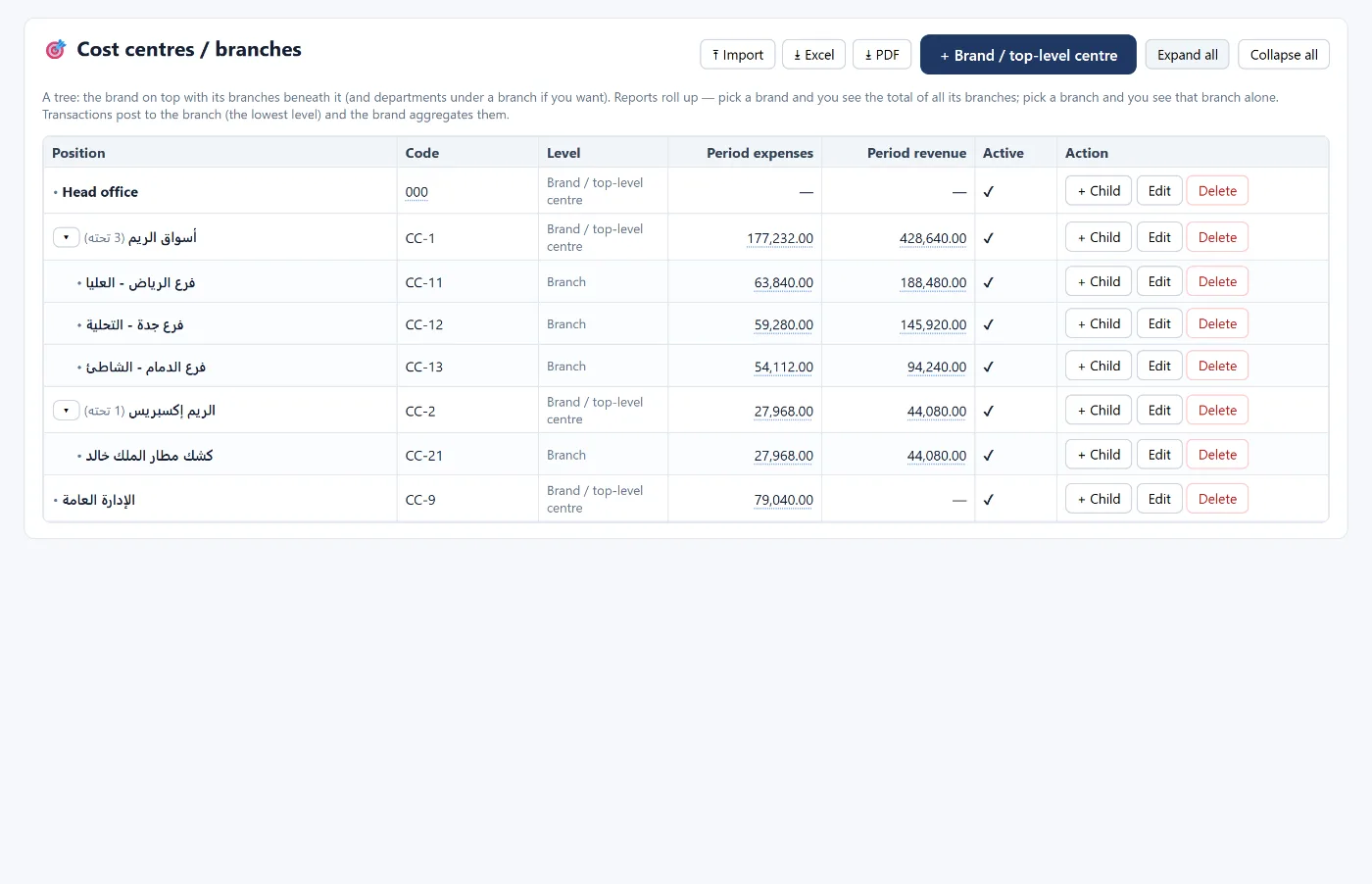
The income statement for the whole business may show a profit while one branch loses money and eats into the rest. Cost centres make every revenue and expense movement carry the "place" it belongs to, so you know the profit of each branch, brand or department.
The tree and roll-up
Cost centres form a tree: the brand (or main centre) at the top, its branches beneath it, and departments under a branch if you need them. Movements are posted to the lowest level (the branch or department), and reports roll up: choose the brand to see all its branches together, or a branch to see it alone.
Where the cost centre is recorded
- On the journal entry line.
- On sales and purchase invoices.
- At the point of sale and the shift (branch or cost centre).
- On fixed assets, projects and campaigns.
- And in the budget: each centre has its own.
Reports per centre
- Income statement, trial balance and ledger with a cost centre filter.
- Comparisons: all centres side by side for the same period, with a total column and an "unallocated" column for movements without a centre.
- KPIs and expense analysis per centre.
- Operating segments (IFRS 8) built from the centres.
Common mistakes
- Leaving the centre blank on part of the movements, so the unallocated column grows and branch profit can't be read.
- Charging a shared expense (such as head office) entirely to one branch — give it its own centre or allocate it with an entry.
- A tree without logic: start with the brand, then the branches, and keep the levels few.
How Tasaheel Accounts manages cost centres
- Cost centres / branches: a tree of brand, branch and department, with each centre's expenses and revenue for the period, adding under any level, and import from Excel.
- A centre with branches beneath it cannot be deleted, and deleting a centre with movements warns you that they will be left without a centre.
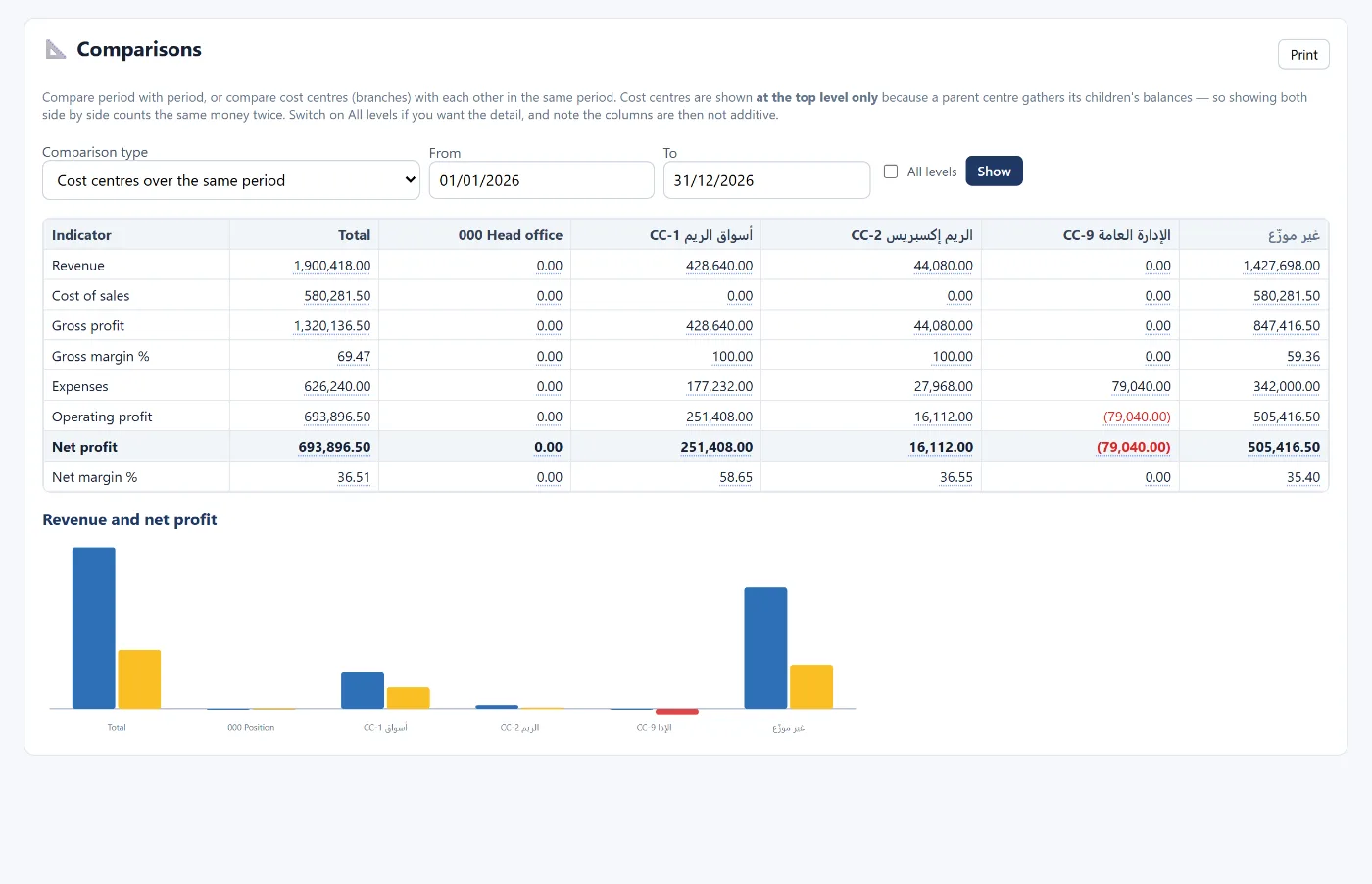
Read also budgeting and budget vs actual and multi-warehouse inventory, or learn more about Tasaheel Accounts.
FAQ
What is the difference between a cost centre and an account?
The account says "what" the movement is (rent, salaries, sales); the centre says "where" (which branch or department).
Can I see a brand and its branches together?
Yes. Choosing the brand totals all its branches; choosing a branch shows it alone.
Can I set a budget per branch?
Yes. The budget is by account, month and cost centre.
What does "unallocated" mean in comparisons?
Movements that have no cost centre.
Try it in Tasaheel: create a free account, add your brand and its branches, and choose the branch on your first invoice.